Revenue Cloud Self-Service in Salesforce: Native Capabilities vs. Real Implementation Work
When revenue teams start exploring self-service in Salesforce, they often arrive at the same question: what exactly is built in, and what are we going to have to build ourselves?
It’s a fair question, and one that doesn’t always get a direct answer. Salesforce’s revenue stack has grown significantly, now operating under the Agentforce Revenue Management umbrella (formerly Revenue Cloud). The platform covers a broad scope: quoting, contracts, billing, subscriptions, and revenue recognition. But “covering” a process in Salesforce is not the same as offering your customers a ready-to-use self-service experience.
This article maps out what’s native, where the gaps start, and what typically drives implementation cost when you set out to build a real self-service portal on Salesforce.
What “Self-Service” Means in a Revenue Context
Before evaluating any platform’s capabilities, it’s worth being precise about what self-service actually involves in a subscription or billing context. Customer-facing self-service typically spans several distinct actions:
- Quote acceptance — customers reviewing and signing off on proposals without waiting for a sales rep
- Subscription changes — upgrades, downgrades, seat additions, plan switches
- Renewals — customers initiating or confirming renewal terms themselves
- Invoice visibility — accessing current and historical invoices, downloading PDFs, and understanding charges
- Payment method management — updating credit cards, bank details, or payment preferences
- Usage and account-level access — viewing consumption data, managing seats or users, reviewing entitlements
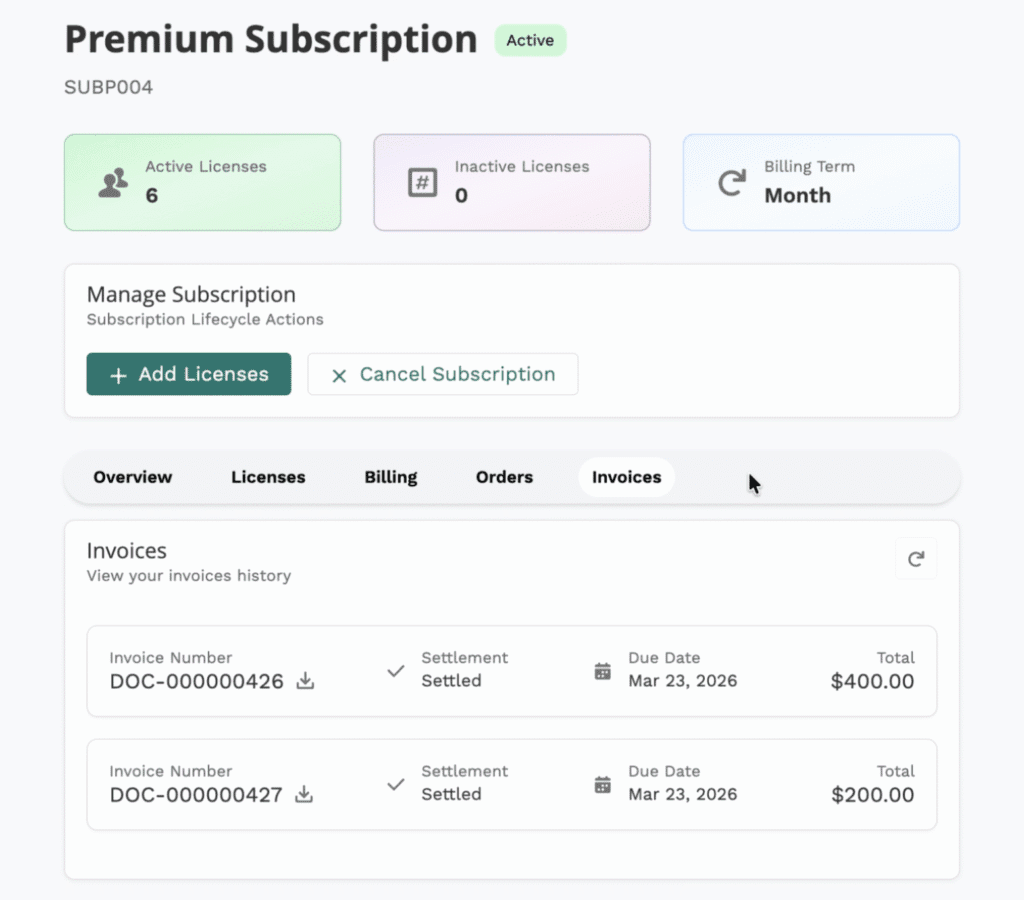
Each of these requires not just backend logic, but a customer-facing interface that’s intuitive, permissioned correctly, and connected to the right data. That distinction between the data/logic layer and the experience layer is central to understanding where Salesforce’s native capabilities end.
What Salesforce Covers Natively Today
Agentforce Revenue Management (formerly Revenue Cloud) is designed to manage the full revenue lifecycle: from configure-price-quote through contracts, order management, billing, and revenue recognition. That’s a meaningful scope, and the platform’s native capabilities are genuinely substantial on the operational side.
Revenue Lifecycle and Subscription Management
Salesforce’s Subscription Management is built as an API-first offering. According to Salesforce’s official documentation and Trailhead materials, this design specifically supports deploying self-service channels. The idea being that any front-end interface can call the underlying APIs to execute subscription operations. This is an important architectural choice. It means the logic for amending a subscription, generating an invoice, or processing a payment can be invoked programmatically, without requiring a human to act inside Salesforce.
Trailhead describes Subscription Management as enabling businesses to “sell, manage, and renew subscriptions at scale” through a flexible, API-driven architecture that can power multiple channels, including self-service experiences.
Billing and Invoicing
On the billing side, Salesforce Billing handles invoice generation, payment runs, revenue schedules, and payment gateway integrations. These processes run inside Salesforce, but they produce data and outputs (invoices, payment records, account balances) that can be surfaced through other layers.
What This Means in Practice
The native platform gives you:
- A robust data model for subscriptions, orders, and billing records
- API endpoints to trigger subscription amendments and renewals
- Billing logic and invoice generation
- Payment processing hooks (with gateway integration)
- The underlying rules engine for pricing, entitlements, and contract terms
What it does not give you out of the box is a customer-facing UI that lets your subscribers log in, view their account, make changes, and manage payments without additional development work.
Subscription Self-Service in Salesforce Revenue Cloud: What You Can Do Before Buying More Tools

What Usually Requires Additional Work
This is where the real implementation conversation begins. The gap between “the API supports this” and “customers can do this themselves” is substantial in most real-world projects.
Portal UX and Identity Management
A self-service portal requires authenticated access: customers need to log in, and the system needs to know who they are, what accounts they’re associated with, and what they’re permitted to see and do. Salesforce doesn’t provide a ready-made customer portal for revenue use cases. You’ll typically need Experience Cloud (formerly Community Cloud) to build this layer, which introduces its own licensing, configuration, and design work.
Identity and permissions require careful setup: which contacts can access which accounts, what data each user can see, and how access is granted and revoked.
Customer-Friendly Subscription Flows
The API-first architecture of Subscription Management means amendment flows are possible, but “possible via API” is not the same as “easy for a customer to complete.” Building guided flows for upgrades, downgrades, or seat changes typically requires custom components or Flow logic presented through an Experience Cloud self-service interface. The experience needs to handle edge cases: mid-cycle changes, prorations, contract constraints, and confirmation steps.
Account Dashboards and Invoice Access
Customers generally expect a clear view of their subscription status, upcoming renewal dates, recent invoices, and payment history. Assembling this into a coherent dashboard requires pulling data from multiple Salesforce objects (subscription records, invoice objects, payment records) and presenting it in a way that makes sense to someone who isn’t a Salesforce user.
Payment Method Management
Updating payment details is a sensitive, compliance-relevant action. While Salesforce Billing integrates with payment gateways, the customer-facing flow for updating a card or bank account typically needs to be built and tested carefully, often with specific handling for PCI compliance requirements.
Where the Real Cost Shows Up
Understanding cost drivers is more useful than any single price estimate, since projects vary significantly. Here’s where budget typically accumulates:
Experience Cloud Licensing and Setup
Experience Cloud licenses are required for external users (your customers) accessing a Salesforce-based portal. Depending on your volume and use case, this is a meaningful line item. Beyond licensing, the initial setup (site structure, authentication configuration, branding, navigation) requires dedicated work before any revenue-specific functionality is built.
Billing Configuration Complexity
Agentforce Revenue Management and Salesforce Billing self-service configuration is not trivial. Payment gateway integration, invoice templates, revenue recognition rules, and proration logic each require specialist knowledge. Mistakes here can affect financial accuracy, so this work typically involves careful testing and, often, a certified Salesforce Billing specialist.
Custom UX Components and Flows
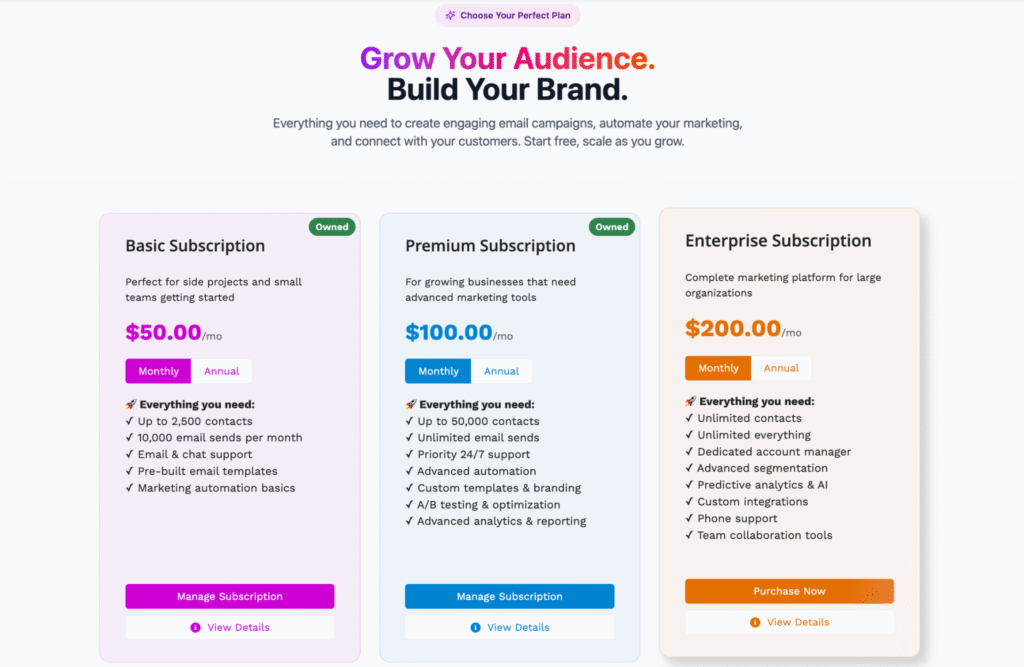
If standard Experience Cloud components don’t meet your requirements (and for complex subscription or billing use cases, they usually don’t), custom Lightning Web Components (LWC) or custom Flow screens are required. Each custom component adds development, testing, and maintenance overhead.
Permissions and Data Access Architecture
Getting permissions right is both a security and a UX concern. Over-permissioning exposes sensitive billing data, and under-permissioning creates friction. Designing and testing a solid permission model for customer-facing access adds time that’s often underestimated.
Ongoing Maintenance
Revenue Cloud self-service portals aren’t set-and-forget. Salesforce releases updates three times a year. Experience Cloud components, API behaviors, and billing configurations need to be reviewed and updated as the platform evolves. Factor this into the total cost of ownership.
Decision Checklist: Native vs. More
| Scenario | What’s typically sufficient | What’s typically needed |
|---|---|---|
| Simple self-service (quote acceptance, basic invoice view) | Salesforce CPQ / Revenue Cloud API + lightweight portal | Experience Cloud with basic configuration |
| Portal-grade self-service (subscription changes, payment management, account dashboard) | API-first Subscription Management as the backend | Experience Cloud + custom components + payment UX + permissions architecture |
| Subscription management at scale (high volume, complex plans, self-serve amendments, prorations) | Agentforce Revenue Management as the logic layer | Full portal build or an accelerator solution purpose-built for Salesforce self-service |
The honest summary: native capabilities are real and form a strong backend foundation. But the jump from “backend ready” to “customers can use this” is where most of the project work actually lives.
Practical Takeaway
Agentforce Revenue Management gives you the building blocks: a solid data model, API-driven subscription logic, billing infrastructure, and payment processing hooks. For internal operations teams, this is more than enough. For customer-facing subscription self-service in Salesforce, it’s the foundation, but not the finished product.
The gap between Salesforce’s native capabilities and a genuinely usable self-service experience is real, and it shows up in Experience Cloud configuration, custom UX work, permissions design, and ongoing maintenance.
For teams that want to close that gap without building everything from scratch, purpose-built portal solutions designed for Salesforce, like a free accelerator for Revenue Cloud offered by Advanced Communities, can significantly reduce time-to-launch and help avoid the most common pitfalls of a custom build. Whether you go custom or use an accelerator, understanding where native functionality ends is the right starting point.
FAQ
1. Does Salesforce Revenue Cloud include a self-service portal out of the box?
No. Agentforce Revenue Management (formerly Revenue Cloud) provides the backend logic and APIs for revenue operations (billing, subscriptions, invoicing) but does not include a ready-made customer-facing portal. Building a self-service portal experience requires additional layers, most commonly Experience Cloud, custom components, and configured access permissions.
2. Can users manage subscriptions and billing themselves in Salesforce?
With the right implementation, yes. But it requires deliberate effort. Salesforce’s Subscription Management is designed as an API-first product specifically to enable self-service channels. However, connecting those APIs to a customer-facing interface, building the flows, and securing the access model is work that happens on top of the native platform, not within it.
3. When do you need Experience Cloud for self-service?
Experience Cloud is typically needed whenever external users (your customers) need authenticated access to Salesforce data or functionality. If you want customers to view invoices, amend subscriptions, or manage payment methods through a web interface connected to Salesforce, Experience Cloud is the standard foundation for that portal layer.
4. What usually drives the implementation cost?
The main cost drivers are: Experience Cloud licensing for external users; Billing configuration complexity (gateway integration, invoice templates, proration logic); custom component development for subscription and payment flows; permissions architecture for customer-facing data access; and ongoing maintenance as the platform evolves. The relative weight of each depends heavily on subscription complexity, transaction volume, and how much of the experience needs to be custom-built versus configured.