
How Associations Can Automate New Member Onboarding with Salesforce
Someone joins your association. Their payment goes through or their application gets approved, and a sequence quietly starts. They need a login to the member portal. They need a clear picture of the benefits they just paid for. They need a reason to show up at an event or join a community group, and someone should check in a few weeks later to see how it’s going.
Most associations already do each of these things. The trouble is that they happen unevenly. One new member gets a personal call from staff, another gets a welcome email two weeks late, and nobody can say for sure which of them actually started using their membership.
This guide treats member onboarding as one connected process: what the first week should look like, how each step leads to the next, and how Salesforce and Experience Cloud can automate and track the journey so every new member gets the same start. Classic new member orientation, like a welcome webinar or a live Q&A, still has a place here. It just becomes one step inside a larger onboarding workflow you can measure.
Why Member Onboarding Matters for Associations
The first weeks of a membership shape the renewal decision a year later. A member who logs in, finds something useful, and attends an early event has a concrete reason to stay. A member who never activates their account mostly remembers the invoice.
A solid onboarding process moves four things:
- Activation. The member sets up their portal account and completes a first meaningful action, such as registering for an event or downloading a resource.
- Engagement. They come back on their own, join a group, or take part in discussions without waiting for the next reminder.
- Early retention. First-year members tend to renew at lower rates than long-standing ones, so a strong start protects the group most at risk.
- Access to membership value. Members actually find the benefits they paid for: education, certification, the member directory, discounts, and exclusive content.
The First 7 Days: A Digital Member Onboarding Journey
The first week sets the pattern for everything after it. The sequence below works for most associations, whether membership is bought online or approved by staff.
- Day 0: Welcome and portal access. Within minutes of joining, the member receives a personalized welcome email with a working login link to the member portal. The message reflects their membership type or chapter and comes from a real person, not a no-reply address.
- Day 1: Profile completion. A short prompt asks the member to finish their profile: job role, areas of interest, communication preferences. This data feeds the member directory, event recommendations, and every message that follows.
- Days 2–3: Benefits and resources. A second message, backed by a portal home page that shows the same thing, points to the three or four benefits most relevant to that member type. The full benefits catalog can wait.
- Days 4–6: First engagement action. Invite the member to one specific thing: an upcoming webinar, a group for new members, a mentorship sign-up, or a course in the learning library. One clear next step is far easier to act on than a list of ten.
- Day 7: Check-in. An automated check confirms whether the member has logged in and taken that first action. If not, staff get a task to reach out personally.
If you run a live new member orientation session, it fits naturally into days 4-6 as the first engagement action.
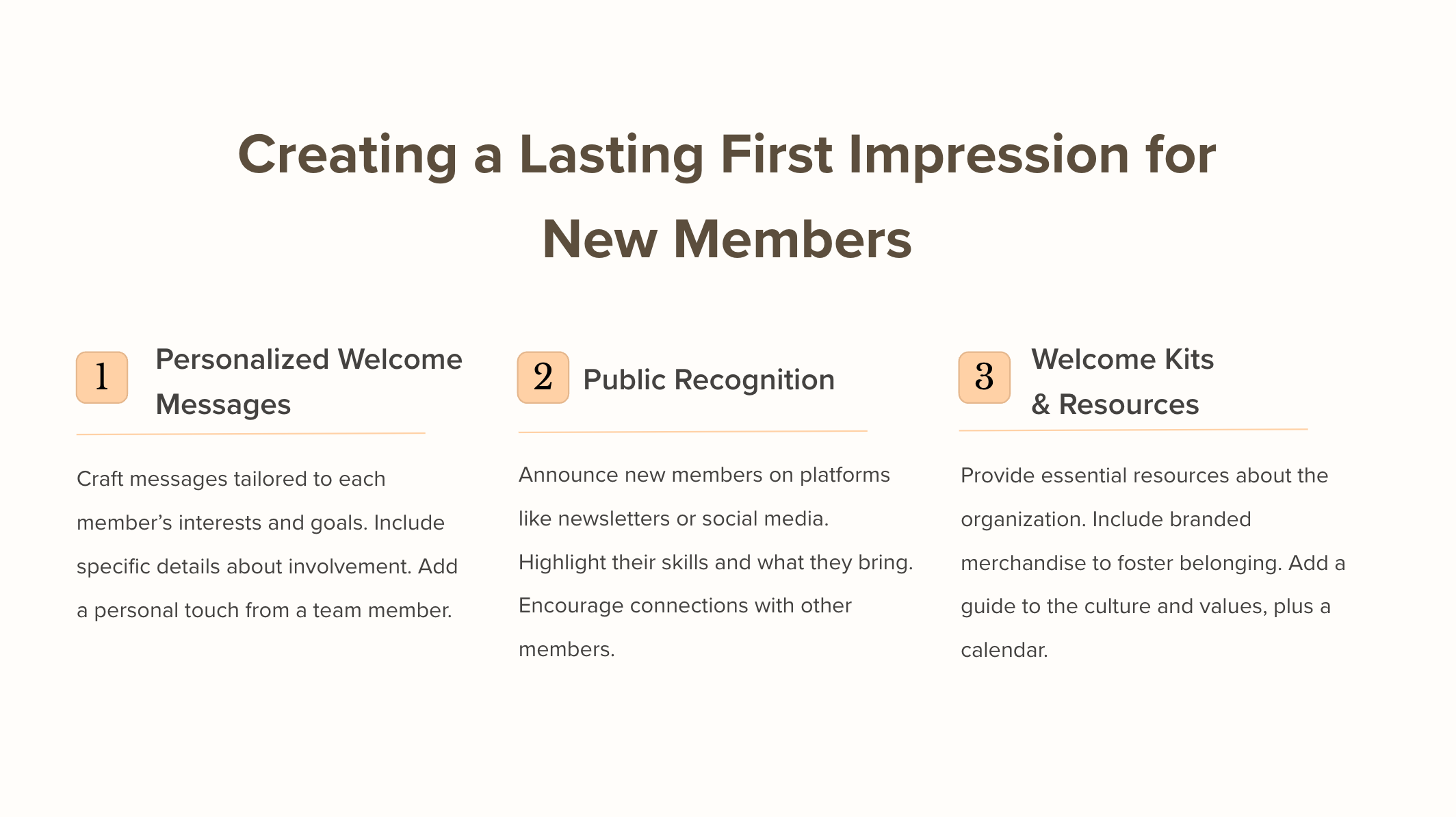
The Member Onboarding Lifecycle: From Join to Renewal
The first week is only the opening stretch. Onboarding works best when every stage has a trigger, an owner, and a signal you can check, all the way to the first renewal.
- Renewal readiness. By the time renewal comes up, you already know whether the member used their benefits. Renewal reminders can point to what they did, and staff can step in early with members who stayed quiet.
- Membership approved or purchased. The join is recorded once, with membership type, start and end dates, and payment, in the same system staff use every day.
- Account and portal access. A portal account is created automatically with access that matches the membership tier. No one waits for a staff member to send credentials by hand.
- Personalized welcome. Welcome content changes with membership type, chapter, or career stage, so a student member and a corporate member don’t get the same message.
- Benefit and resource discovery. The portal surfaces the resources that matter for that member: the knowledge base, the member directory, discounts, and member-only content.
- Event and community participation. New members are invited to events, discussion groups, mentorship, or volunteer roles that fit the interests in their profile.
- Follow-up and check-in. Around the 30-day mark, a short check-in asks what’s working and what’s missing. Answers go back to the team that owns onboarding, so the process improves over time.
Beyond Membership Dues (Infographic): A Roadmap to Financial Growth

Automating Member Onboarding with Salesforce and Experience Cloud
Salesforce can run most of the lifecycle above without manual handoffs, because member data, portal access, and communication all live on one platform.
- One member record. Membership details, contact data, payments, event registrations, and engagement history sit together, so every onboarding step works from the same information.
- Automated triggers with Flow. When a membership is created or approved, a record-triggered flow can create the portal user, send the welcome email, schedule follow-ups, and assign tasks to staff.
- A personalized portal with Experience Cloud. Audience targeting lets the portal home page show different content, resources, and calls to action depending on membership type or profile data.
- Self-service answers. Knowledge articles, community forums, and AI agents built with Agentforce can handle common questions about logins, benefits, and events.
- Reports and dashboards. Staff can track activation rates, time to first login, event attendance by new member cohort, and members who haven’t engaged yet.
Associations that want this on Salesforce without building every piece from scratch can start with AC MemberSmart, our Salesforce-native association management solution. It covers member registration and subscriptions, renewal emails, events, and the member directory, and it can also be run headlessly: staff type a request like “renew this member” into a chat with Claude, and the system carries it out.
If the portal experience is your main priority, our team designs and builds Salesforce-based member portals on Experience Cloud around your own onboarding process.
The AWI Case Study: A Model for Successful Membership Portal
The Architectural Woodwork Institute (AWI) serves as an excellent example of how a well-executed member portal can foster engagement and long-term commitment. AWI identified challenges in providing a personalized, seamless member experience and partnered with Advanced Communities to develop a Salesforce-based member portal.
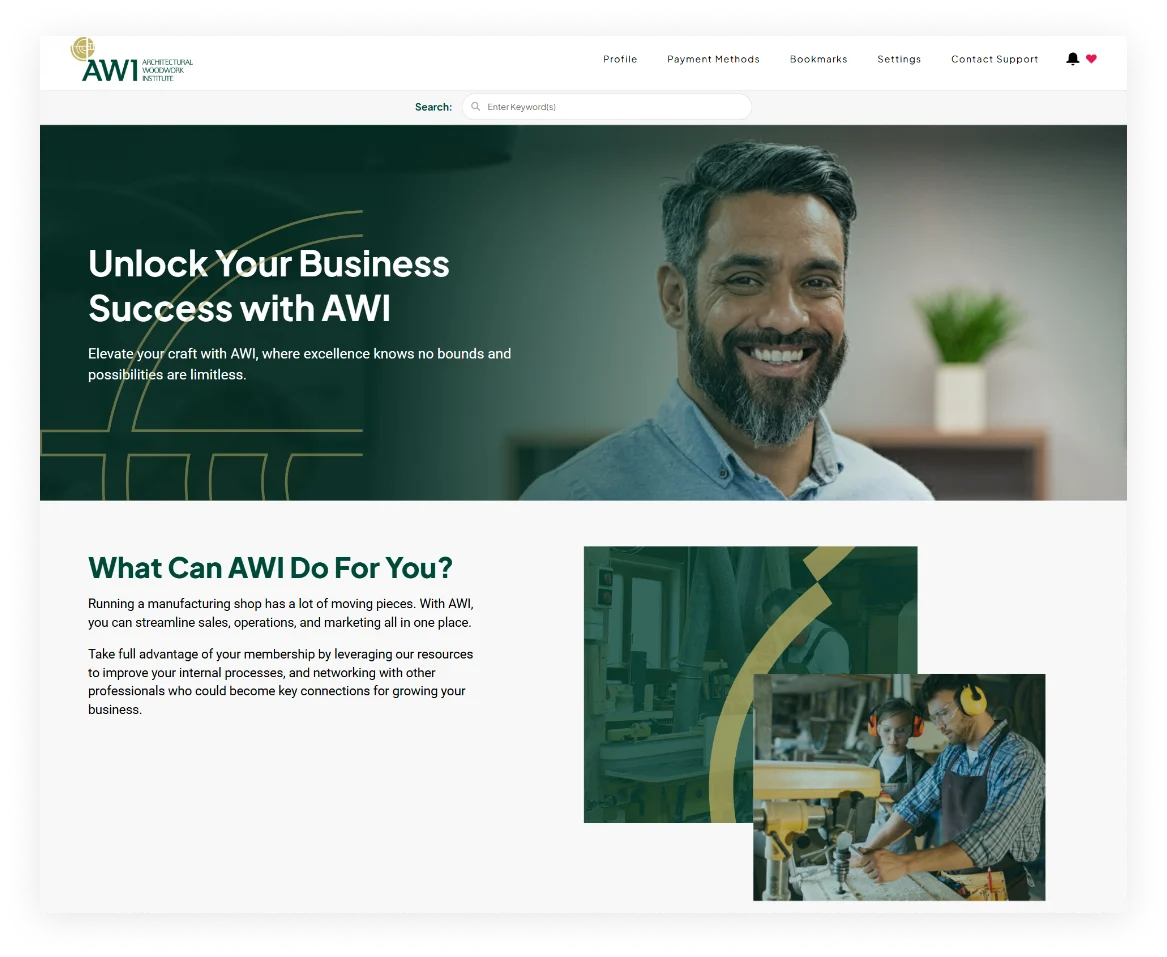
The new platform transformed AWI’s approach to membership management by offering customized membership offers, seamless event registration, and a structured, user-friendly knowledge base. By leveraging Salesforce Experience Cloud and our comprehensive member management Salesforce native solution, AWI completely transformed its subscription management, implemented different tailored pricing structures, and created a digital networking space that helped members easily connect. Read more about this great story:
Case Study: Member Portal for the Architectural Woodwork Institute
READ NOWGathering Feedback from New Members: A Key to Continuous Improvement
To ensure the success of a new member orientation program, organizations should actively seek feedback from new members. Understanding their experiences, challenges, and suggestions allows organizations to refine their onboarding and engagement strategies, leading to a more effective and meaningful membership experience.
Gathering feedback can be done through surveys, one-on-one interviews, or informal check-ins after the orientation period. Providing an easy way for new members to share their thoughts, such as through an online form or a dedicated feedback email, can help organizations identify areas for improvement. Additionally, creating a safe and open environment for feedback encourages new members to be honest and transparent about their experiences.
By consistently analyzing feedback trends, organizations can implement meaningful changes that enhance the orientation process, improve member satisfaction, and increase long-term retention. Engaging in ongoing dialogue with members also demonstrates that the organization values their input and is committed to delivering a high-quality membership experience.
Onboarding Ideas That Support a Measurable Digital Journey
Creative touches help, as long as they live inside the onboarding process and leave a trace you can track. Three ideas that fit that rule:
- An onboarding checklist in the portal. Show new members a short list of steps (complete your profile, explore your benefits, register for your first event) with a progress indicator. Completion rates tell you exactly where people stall.
- A new member group in the online community. A dedicated space where each new cohort can introduce themselves and ask questions. Joins, posts, and replies show who is settling in.
- Short video walkthroughs. Two-minute videos that show how to use the member portal, find resources, and register for events. Views and follow-up actions show whether the walkthroughs actually help.
Bringing Existing Members Into Onboarding
Experienced members make onboarding feel personal. Invite them to volunteer as mentors or ambassadors, match them with new members through the member directory, and recognize their help on their portal profile.
Member Retention: Thinking Beyond Onboarding
Onboarding ends, but the habits it builds carry into renewal. Keeping an existing member costs less than recruiting a new one, and members who see value early are more likely to stay. Track these signals through the first year to spot who needs attention before renewal comes up:
| Signal | What to track | What it tells you |
|---|---|---|
| Activation | First login, completed profile, first action taken | Whether the member started using the membership at all |
| Portal adoption | Repeat logins, pages and resources viewed | Whether the portal became part of their routine |
| Event and content engagement | Registrations, attendance, downloads, community posts | Which benefits they value |
| Follow-up | Check-in responses, survey answers, staff outreach logged | How the member feels and what’s missing |
| Renewal behavior | Opened reminders, on-time renewal, auto-renew enabled | How likely they are to stay another year |
Final Thoughts
The associations that onboard well usually aren’t doing anything exotic. They run the same steps for every new member, keep the data in one place, and check the results. In practice that comes down to four things:
- Centralized member data, so every step works from the same record.
- Automated steps that start the moment someone joins and keep going until renewal.
- Portal access from day one, with content that matches the member.
- Measurable engagement, so you can see who is thriving and who needs a nudge.
Want to build or upgrade your member portal so onboarding runs the same way for every new member? Contact us to talk through your project.
FAQ
1. What should an association onboarding workflow include?
A complete workflow covers the join itself, portal account creation, a personalized welcome, guided discovery of benefits and resources, an invitation to a first event or community group, a check-in after the first few weeks, and renewal preparation. Each step should have a trigger, an owner, and a way to measure whether it happened.
2. How can Salesforce automate onboarding?
Salesforce can start onboarding the moment a membership is created or approved. Flows can create the portal user, send welcome emails, schedule follow-ups, and assign tasks to staff. Experience Cloud personalizes the member portal, and reports show who has activated and who hasn’t.
3. What should members see in a portal after joining?
New members should see a welcome message, a short onboarding checklist, the benefits most relevant to their membership type, upcoming events, and a clear way to complete their profile. Links to the member directory, the knowledge base, and support help them find their way without contacting staff.
4. How do you measure onboarding success?
Track activation (first login and profile completion), time to first action, event and content engagement in the first 90 days, check-in responses, and first-year renewal rates. Comparing these numbers across new member cohorts shows which onboarding changes actually work.
5. How does onboarding affect retention and renewals?
Members who activate early and use their benefits have a clear reason to renew. Onboarding data also shows staff who stayed quiet, so they can reach out well before the renewal date instead of discovering the problem when the membership lapses.