Legacy Salesforce Community Cloud Templates: Koa, Napili, and Kokua Explained
Salesforce Experience Cloud (known in its earlier form as Community Cloud) has accumulated a substantial library of site templates over the years. Today, organizations can choose from a wide range of templates suited to partner portals, customer accounts, microsites, help centres, and more, each with advanced configuration options and deep platform integration.
But it did not start that way. When the platform was still called Community Cloud, the template selection was much narrower, and the available options were considerably more basic. Three of those early templates are Koa, Napili, and Kokua, and they were among the first standard building blocks organizations used to launch self-service and support communities.
This article takes a closer look at those three templates: what they were designed to do, where they worked well, and where their limitations showed. It is a retrospective overview of the starting point and a way of understanding how template-based community building began before the ecosystem grew into what it is today.
Why Templates Mattered in Early Community Cloud
Templates were central to the Community Cloud approach from the beginning. Rather than building a portal from scratch, administrators would select a template that came pre-configured with a page structure, a navigation model, and a defined set of supported modules. This made community launches faster, but it also meant accepting a set of boundaries determined by the template.
In the early days, that trade-off was significant. The template chosen at the outset determined which Salesforce features were available, how content was organized, and what kinds of interactions users could have. Koa, Napili, and Kokua each approached those decisions differently and understanding their differences helps explain the kinds of choices community administrators had to make at the time.
Koa Template Overview
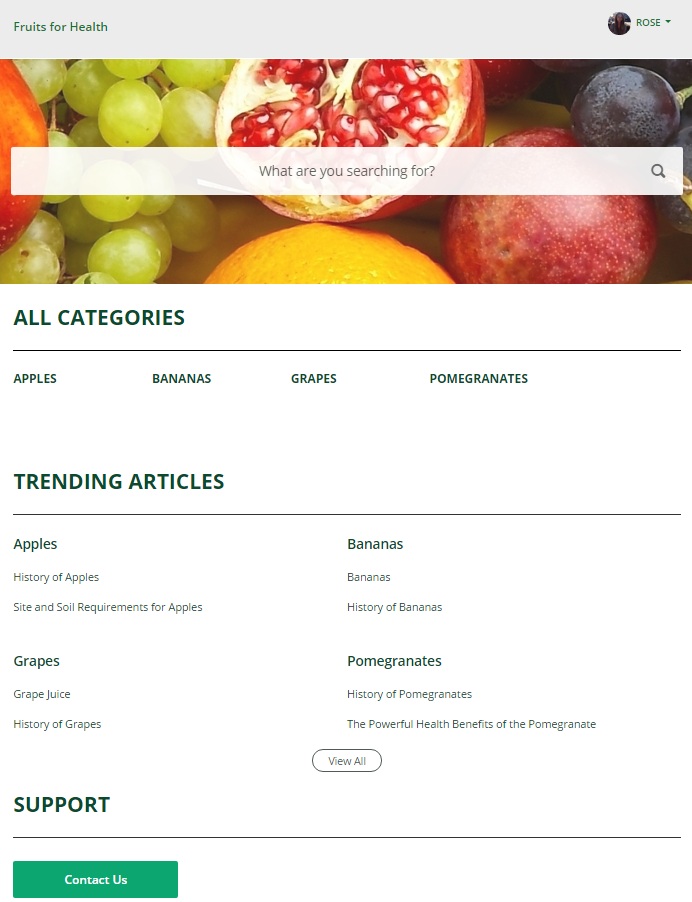
Koa was positioned as the most straightforward of the three templates, as a basic, standard-issue option for organizations that needed a functional self-service community without extensive customization.
What it Was Used For
At its core, Koa was built around article browsing and case-based support. Users could search for knowledge base articles and view them directly within the community. A drop-down menu in the header provided access to a user’s profile, a Contact Support page, and a logout option, keeping navigation minimal and predictable.
Strengths
- Supported the Knowledge and Cases modules, covering the basics of self-service deflection
- Optimized for mobile devices, making it accessible across screen sizes
- Simple navigation model that was easy to orient around
Limitations
The simplicity that made Koa approachable also defined its ceiling. The template did not support Chatter Questions or the Question-to-Case workflow, which meant community-driven Q&A was entirely off the table. Similarly, Ideas and Chatter modules were absent, ruling out any discussion or crowdsourcing functionality. Koa was a text-oriented template with a basic design palette, and organizations that outgrew purely transactional self-service quickly found it insufficient.
Napili Template Overview
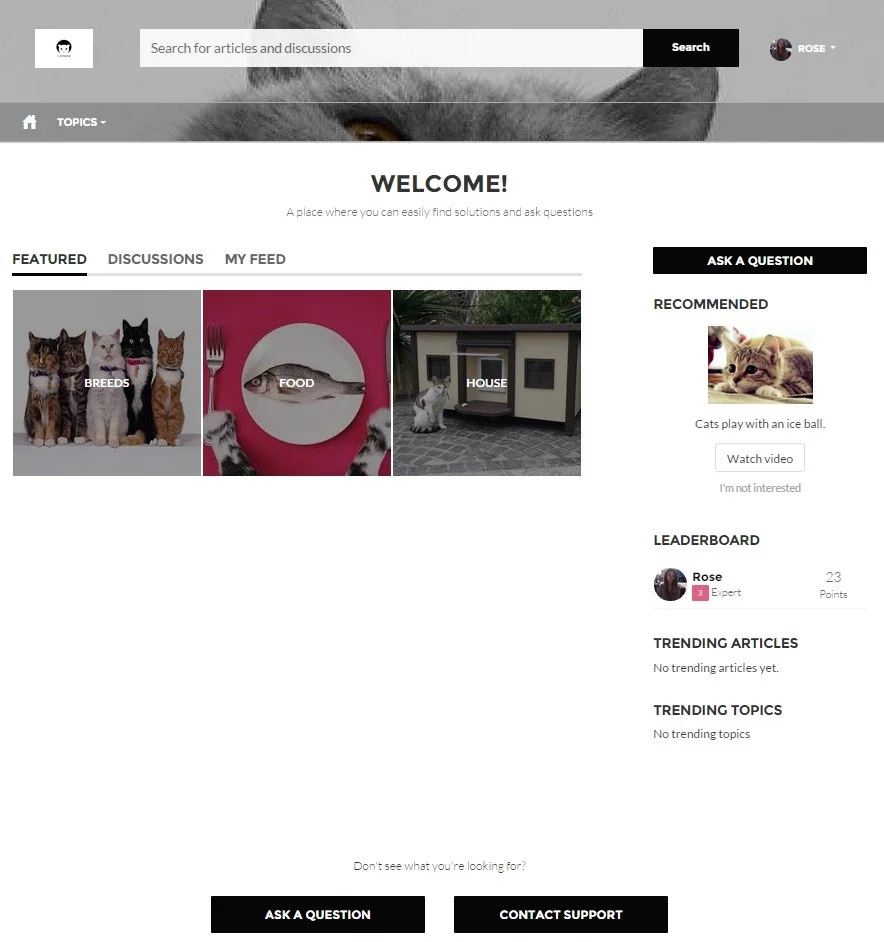
Napili was historically regarded as one of the more capable and widely adopted templates for support-oriented communities. It moved beyond the strictly transactional model of Koa by introducing genuine community participation features alongside the standard self-service staples.
What it Was Used For
The Napili template was designed for communities where logged-in users needed to do more than browse articles. They could post questions, engage in feed-based discussions, and participate in community conversations. Article search remained central, but the template also surfaced case history, Chatter feed activity, and profile details through a dedicated profile menu. It was optimised for any device, maintaining usability on mobile and desktop alike.
Strengths
- Supported Knowledge, Cases, and Q&A modules in a single template
- Enabled community discussions and question posting for authenticated users
- Device-optimised layout that adapted across screen sizes
- Profile menu provided access to feed, cases, and user details in one place
Limitations
Navigation in Napili relied on topics rather than hierarchical Data Categories, which created a flat content structure that worked well for discussion-heavy communities but was less suited to organisations with deep, structured knowledge bases. The number of topics that could be configured was also constrained, which could become a bottleneck as content libraries grew. Additionally, the template had known restrictions when working with Site.com data elements, limiting certain customization paths.
Kokua Template Overview
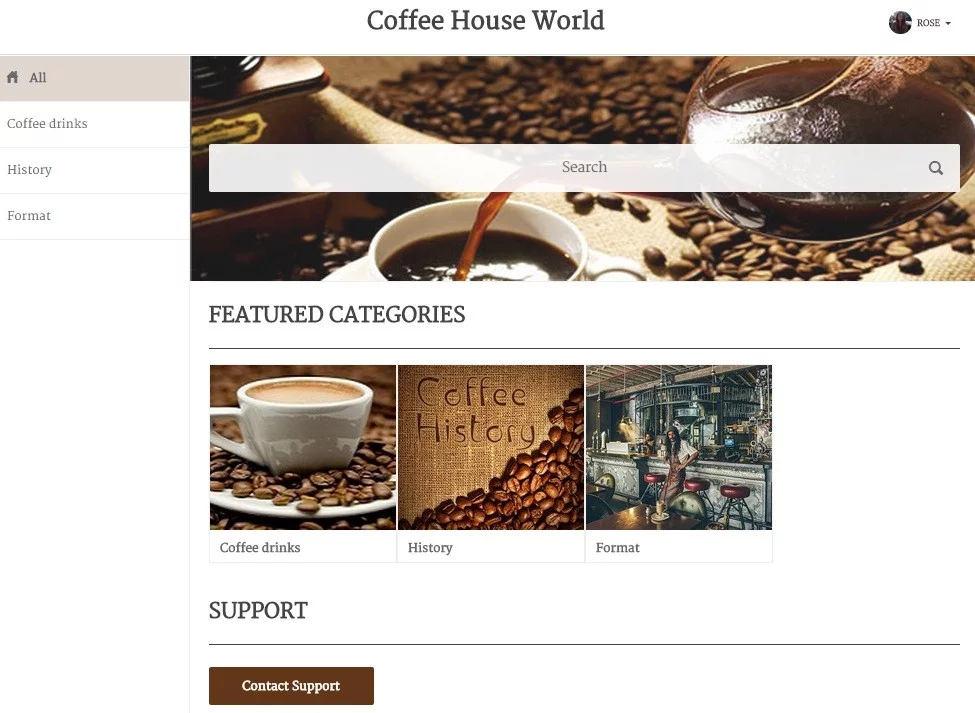
Kokua was another self-service–oriented template, but its distinguishing characteristic was a strong emphasis on Data Categories as the primary organizational layer. Where Koa kept things minimal, and Napili leaned into community participation, Kokua was built around structured content navigation.
What it Was Used For
Kokua was designed for communities where the main goal was helping users find the right article quickly, with the option to contact support if self-service failed. The template allowed administrators to define how many Data Categories should be displayed and to assign splash images to each, giving the community a more visual, category-browsable feel. It worked well when Data Categories were properly set up. Without that configuration in place, however, the experience degraded noticeably.
Strengths
- Supported Knowledge and Cases modules with a Data Category-driven navigation model
- Optimized for tablets, desktops, and mobile devices
- Category splash images added visual structure to the home experience
- Article search and support contact were well integrated into the flow
Limitations
Like Koa, Kokua did not support Chatter Questions, Question-to-Case, Ideas, or Chatter by default, so community discussion was simply not part of the template’s scope. The My Feed page was also absent. The template’s reliance on Data Categories meant that communities without a well-defined content taxonomy were poorly served by it. And for teams that wanted custom category images, the only supported path at the time was through comStudio, adding a layer of tooling dependency to what might otherwise have been a straightforward configuration task.
How Koa, Napili, and Kokua Differed
At a high level, the three templates sat along a spectrum from minimal to more capable, and from pure self-service to community participation.
Koa was the most constrained. It covered the basics, such as article search and case support, but offered little beyond that. It suited scenarios where the community’s purpose was narrow and the organization wanted something functional with minimal setup complexity.
Napili represented the middle ground and, for many teams at the time, the most practical choice for a support community that also needed some level of user engagement. The Q&A capability and feed participation made it feel like a community rather than just a knowledge base front-end. Its topic-based navigation, however, meant it was less suited to organizations with deeply hierarchical content libraries.
Kokua sat in a specific niche: it worked best when the content architecture was already well defined through Data Categories and the primary goal was structured content discovery. It was more visually organized than Koa but lacked the social features of Napili. The dependency on comStudio for certain configuration tasks also made it feel somewhat more rigid than the other two.
The table below summarizes the key distinctions at a glance:
| Template | Primary Use Case | Main Strengths | Main Limitations |
| Koa | Basic self-service & knowledge browsing | Mobile-optimized; article search; Knowledge & Cases support; simple navigation | No Chatter Questions or Q-to-Case; no Ideas/Chatter modules; limited design & features |
| Napili | Support communities with discussion | Knowledge, Cases & Q&A modules; article search; community discussions; device-optimized | Topics only (no hierarchical Data Categories); limited topic count; Site.com element restrictions |
| Kokua | Data Category–driven self-service | Knowledge & Cases support; article search; mobile-friendly; category splash images | No Chatter Q&A, Ideas, or My Feed; category images only via comStudio |
What These Templates Tell Us About Where Community Cloud Started
These templates were not sophisticated tools by today’s standards, and they were not designed to be. They represent the early layer of a template ecosystem that has since grown considerably in both depth and breadth. Experience Cloud now offers a wide range of site templates purpose-built for partner portals, customer self-service hubs, account sites, microsites, and more, with far greater flexibility and richer out-of-the-box functionality.
What these early templates illustrate is how prescriptive the starting conditions were. Functionality was tightly coupled to the template choice. If a team needed structured content navigation and community discussion in the same portal, no single template delivered both cleanly. Trade-offs were baked into the decision from day one, and those constraints shaped how communities were designed during that period.
The templates also reflected the platform’s early priorities: mobile optimization was clearly important across all three, basic self-service deflection was the primary goal, and community participation, where it existed at all, was treated as a distinguishing feature rather than a baseline expectation. That framing has shifted significantly as Experience Cloud has matured.
Summary
Koa, Napili, and Kokua were the building blocks of community-based self-service on Salesforce before the platform’s template library expanded into what it is today. Each addressed a real set of needs within the constraints of its time.
These templates are part of the foundational layer of Experience Cloud’s history. It’s basic by current standards, but meaningful as a starting point. The platform has since added many more templates covering a much wider range of use cases, with considerably more flexibility in how communities are built and configured. Understanding where it started, and what those early constraints looked like, gives useful context for appreciating how far the tooling has come.