Drive Partner Adoption: A Guide to In-App Guidance in Experience Cloud
The Challenge of Partner Engagement
Engaging partners within a portal is a persistent challenge. Even with a well-designed site, partners often struggle to navigate complex layouts, miss critical updates, or fail to adopt powerful new features simply because they are unaware they exist. Traditional training methods, like external documentation or webinars, often fail because they remove the partner from their immediate workflow.
The solution to this engagement gap is In-App Guidance. This feature allows you to create hands-on, interactive tours, prompts, and walkthroughs that appear directly inside the partner portal. Instead of forcing partners to search for help, you can bring the learning experience right to them, guiding them through menus and features exactly when they need it.
One of the most significant advantages of In-App Guidance is that it is a no-code solution. You do not need a developer to build these interactions. Using a simple builder, administrators can create, customize, and target these prompts with “clicks, not code,” making it easier than ever to engage partners directly where they work.
The Toolkit: Types of Guidance Available
Salesforce offers a flexible toolkit designed to meet different communication needs, ranging from simple announcements to detailed training.
1. Single Prompts
These are individual messages designed to deliver a specific announcement or quick tip without interrupting the partner’s entire workflow. Currently, there is only one type available for the community:
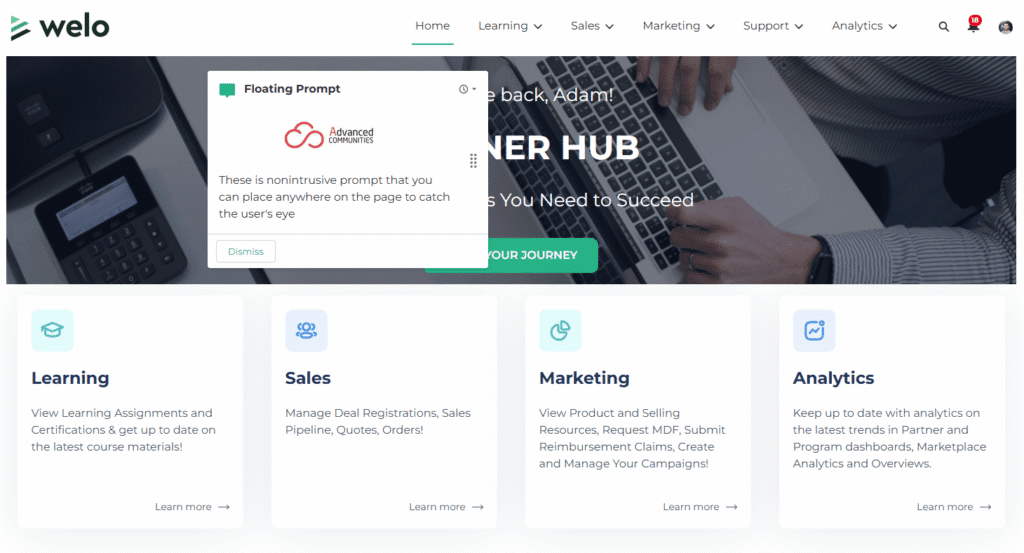
- Floating Prompts: These are nonintrusive prompts that you can place anywhere on the page to catch the user’s eye.
2. Walkthroughs
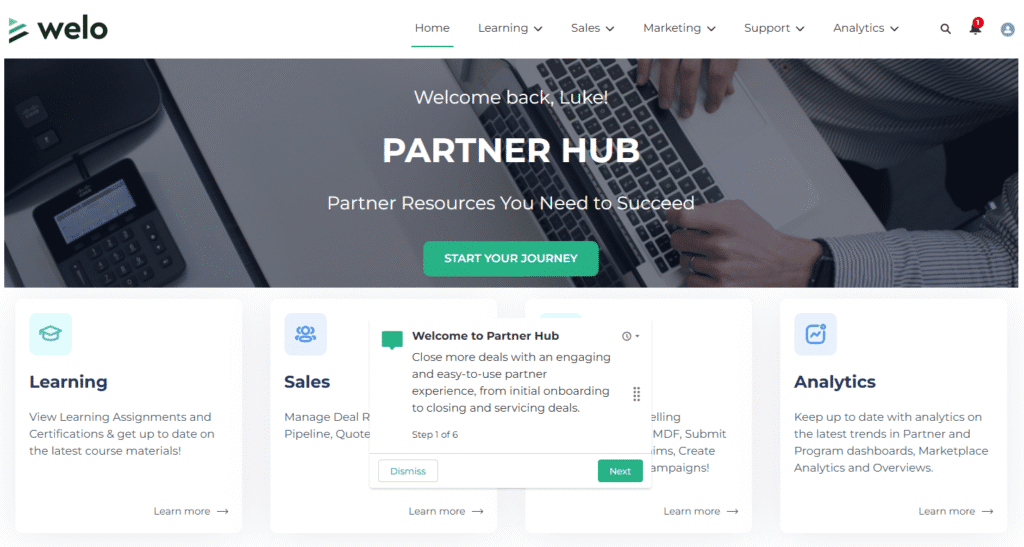
For more complex procedures, you can create Walkthroughs. These are multi-step tours that link up to 10 connected prompts together. This format is ideal for guiding a partner through a complete workflow step-by-step – such as registering a new deal or updating their compliance profile – ensuring they understand the entire process from start to finish.
If you find this article interesting, we also recommend checking out the previous blog post in this series ⤵️
Salesforce Partner Cloud Fundamentals: Managing Partners in Salesforce Loyalty Management
Strategic Use Cases: When to Use In-App Guidance
To get the most value out of In-App Guidance, it is important to deploy it strategically. Here are three high-impact scenarios where guidance can transform the partner experience.
1. Onboarding
The first impression matters. Instead of leaving new partners to figure things out on their own, use Walkthroughs to create a structured onboarding experience. You can build a multi-step tour that guides them through their first login, helps them complete their profile setup, and shows them how to navigate the portal’s key menus.
2. Feature Launches
When you release a new dashboard, report, or tool, partners often miss the announcement emails. Use Single Prompts – specifically floating or docked prompts – to highlight these new features directly within the portal. This ensures partners are aware of the new capabilities available to them and encourages immediate adoption.
3. Training & Adoption
Complex business processes often lead to confusion and increased support tickets. Use Targeted Prompts to provide just-in-time training. By placing a prompt on a specific button or complex field, you can explain exactly what information is needed or how a process works at the exact moment the partner is interacting with it.
Precision Targeting: Showing the Right Message to the Right Partner
Effective communication is about relevance. If every partner sees every prompt, they will eventually tune them out. Salesforce allows you to apply precision targeting to ensure the right message reaches the right person at the right time.
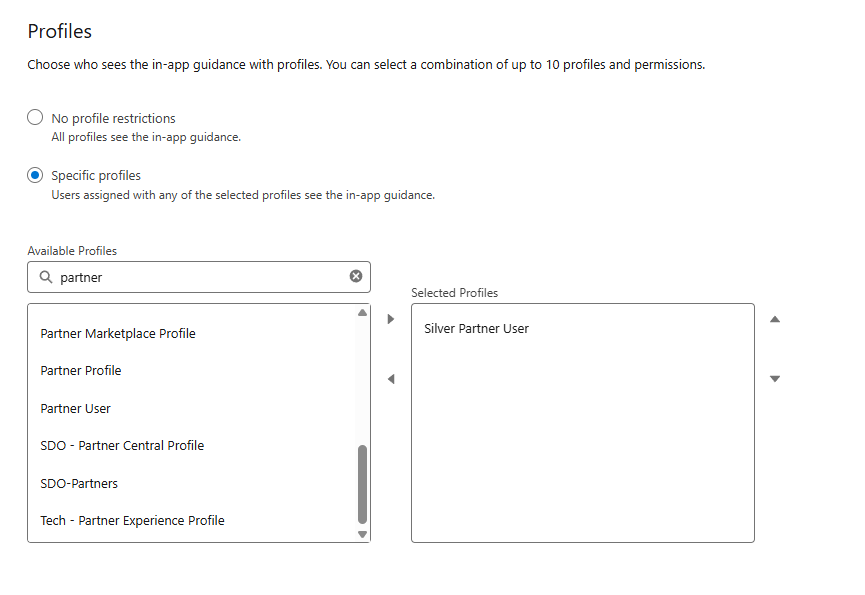
Audience Targeting
You do not have to show every prompt to every partner. To ensure relevancy, you can filter your audience based on specific criteria. You can target prompts based on standard and custom permissions, specific Profiles, or even standard and custom user fields. For example, you could show a “Gold Tier” onboarding tour only to partners who have the “Gold Partner” profile or permission set.
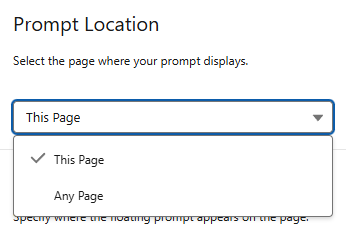
Location Targeting
Context is critical. You can place guidance globally, so it appears anywhere in the app, or target specific pages, such as the Home page or a specific Record Page (e.g., a specific Opportunity view). Note that while In-App Guidance works seamlessly on Lightning pages, it is not supported on Visualforce pages.
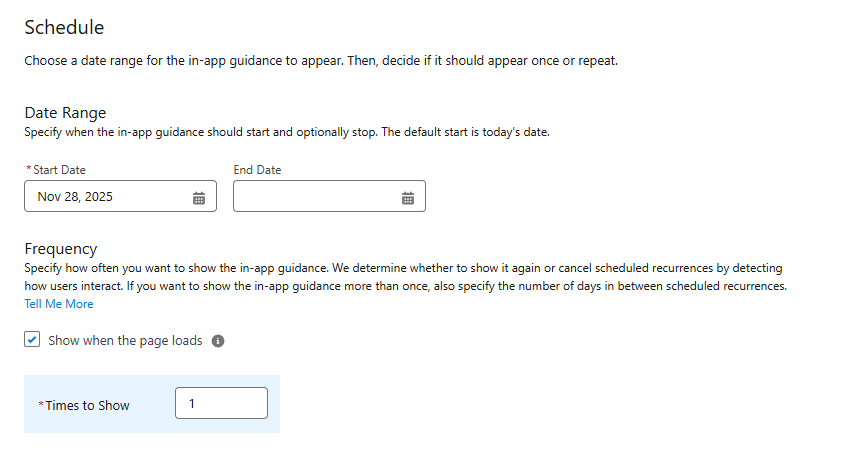
Scheduling
To avoid overwhelming your partners with too many pop-ups, you have full control over the schedule. You can set specific Start and End Dates for time-sensitive announcements. Additionally, you can manage Frequency, determining how many times a prompt is shown to a user and the number of days to wait between displays, ensuring the guidance is helpful rather than annoying.
Creating the Experience: The In-App Guidance Builder
Building these engagements does not require complex coding or CSS manipulation. The In-App Guidance Builder is a visual, WYSIWYG (What You See Is What You Get) tool that sits directly on top of your running partner portal. This “canvas” allows admins to draft, position, and preview prompts in real-time, ensuring that the guidance appears exactly where it should within the live site environment.
Within the builder, you have extensive control over the look and feel of the interaction. You can define the specific type of prompt, determine its screen position, and fully customize the content. This includes writing the headline and body text, configuring action buttons, and adding images to ensure the guidance aligns with your partner portal’s branding and tone.
Conclusion: Measuring Success
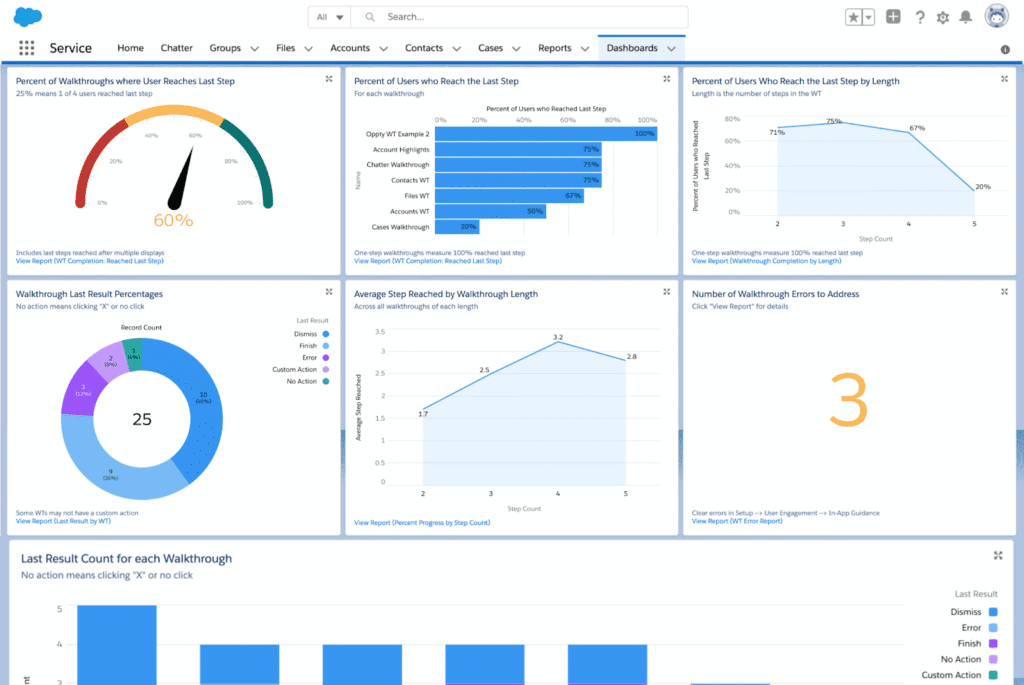
You don’t have to guess whether your partners are finding your help useful. Salesforce provides built-in metrics that allow you to track the performance of every prompt and walkthrough you create. You can view detailed data on Views, Completions (specifically for multi-step walkthroughs), and Errors directly from the setup menu.
For deeper analysis, you can install prebuilt reports that track user interactions, such as the “Prompt Action Count” and “Prompt View Count,” to see exactly how partners are engaging with the content over time.
Final Takeaway
In-App Guidance represents a shift from passive documentation to active engagement. It is the most direct way to influence partner behavior, ensuring they aren’t just logging in, but are successfully adopting new features and getting the most value out of your portal.
Ready for a Change?
Salesforce Partner Cloud offers many more features to enhance your experience, and we’re proud to be one of the top Salesforce partners for PRM, delivering full Partner Cloud implementations.
Reach out to us today to see how Partner Cloud can elevate your partner strategy.