Yes. Organizations use Salesforce, often paired with native apps like AC MemberSmart, to manage membership directories, event registrations, subscriptions, payments, and donor or member engagement within a single connected system rather than juggling separate tools.
SHARE
What Is SFDC in Salesforce? Meaning, Business Use Cases, and Implementation Context
5 min read
Rating:
If you have seen the term SFDC in documentation, job titles, project scopes, or internal business discussions, it usually refers to Salesforce – the CRM platform and ecosystem used to manage sales, service, marketing, partner relationships, customer portals, and member experiences.
SFDC stands for Salesforce.com, the former name of the Salesforce platform. Today, people usually use “SFDC” as shorthand for Salesforce CRM, the broader Salesforce ecosystem, or a company’s Salesforce environment.
This guide explains what SFDC means, why the term is still used, and how businesses use Salesforce as a connected platform for CRM, Experience Cloud sites, partner portals, member portals, automation, analytics, and Salesforce-native apps.
In this article, we’ll clearly explain:
- The SFDC meaning and full form
- Why people still use the term SFDC
- Whether there’s any difference between SFDC and Salesforce
- How businesses benefit from Salesforce and specifically from Salesforce Experience Cloud implementation
- Common questions beginners ask about SFDC
Let’s clear up the confusion once and for all.
What is SFDC in Salesforce?
SFDC is the acronym for Salesforce.com, the original name of the Salesforce platform. In everyday usage today, SFDC simply refers to Salesforce as a whole – its CRM platform and broader ecosystem.
Note!
SFDC is not a separate product, tool, or edition.
When someone says “SFDC,” they usually mean:
- Salesforce CRM
- The Salesforce platform and clouds
- A company’s Salesforce environment (often called an “SFDC org”)
SFDC Full Form (Salesforce.com) – Why the Term Still Exists
Even though Salesforce officially brands itself simply as Salesforce today, the term SFDC is still very common. Here’s why:
- Legacy usage – Early Salesforce adopters, documentation, and internal tools used SFDC heavily.
- Job titles – Roles like SFDC Developer, SFDC Admin, or SFDC Consultant still appear in job listings.
- Technical shorthand – Terms like SFDC org, SFDC instance, or SFDC environment are common in engineering and admin conversations.
- Internal naming conventions – Many companies still label systems, repositories, or integrations as “SFDC.”
To be clear again:
SFDC ≠ a separate product.
It’s simply an older shorthand for Salesforce that stuck around.
SFDC vs Salesforce – Is There Any Difference?
Short answer: No, not in practice.
Here’s a simple comparison:
| SFDC | Salesforce |
|---|---|
| Legacy shorthand from the former name Salesforce.com | Official current brand name |
| Stands for Salesforce.com | Represents the full ecosystem |
You might also hear people say “SFDC org“. In this case, it refers to a Salesforce environment or instance used by a company, not a different platform.
Salesforce Platform Overview
The Salesforce platform is multi-faceted. It went far beyond a CRM system and comprises many aspects a business would benefit from. For many organizations, it becomes the core platform for managing customer relationships, partner ecosystems, member engagement, digital self-service, payments, support, events, and internal workflows.
This is where the term SFDC often appears in project scopes: companies use it to describe their Salesforce environment, including standard clouds, custom automation, integrations, Experience Cloud sites, and Salesforce-native applications.
Here is a quick overview of the SFDC meaning and its components:
Customer Relationship Management
Being a cloud computing technology, Salesforce has always been renowned as a powerful, hard-to-digest, and progressive CRM platform. Not without a reason!
The system is designed to make marketing processes, customer interactions, customer service, partner management, and everything in between thrive. Thanks to Salesforce, you can provide your employees with easy access to the customers’ data/account, see customers’ purchase history, plan your next campaigns based on this info, and attract new clientele with an added vim.
Salesforce has shown us what a CRM can be. A proactive, AI-powered technology, empowering teams from small to large to be customer-centric. Thus, the Customer 360 feature lets you support and guide clients every step of the way, without spreading yourself too thin and switching between tabs.
Salesforce CRM: More Than Just a CRM
Learn more about huge Salesforce functionality and benefits that your business can get by using Salesforce.

Cloud-Based Services
Salesforce is widely used among businesses for marketing, sales, customer service, and other departments. To cater to the ever-changing needs, the IT platform houses seven main cloud services, making their usage a snap with just a stable Internet connection:
- Salesforce Experience Cloud for creating user-friendly, modern sites to connect employees, customers, and partners under the same roof;
- Salesforce Marketing Cloud for pinpoint marketing automation and analytics;
- Salesforce Sales Cloud for driving excellent sales automation, executing customer relationship management, and keeping customer information organized;
- Salesforce Service Cloud for professional support across every channel possible (be it email, chat, phone, social media);
- Salesforce Commerce Cloud for streamlining and personalizing your customers’ shopping experience;
- Salesforce Analytics Cloud for fetching real-time data, taking quick action if need be, and combining Salesforce data (or any other for that matter) across your organization;
- Salesforce Nonprofit Cloud for bringing donations, grantmaking, fundraising, and other volunteering activities together.
Salesforce Cloud Services Explained
Salesforce Cloud services open numerous opportunities for your marketing, sales, service, and nonprofit efforts. What are they? We explain here.

AppExchange
Are you on AppStore or Google Play? AppExchange from Salesforce is controlled by the same logic. This cloud marketplace features Salesforce accelerators, solutions, and certified consulting services to extend the power of this CRM.
AppExchange is a perfect place to solve your business challenges rapidly. You can pull a trump card and choose an app from the marketplace instead of building one from scratch. Another option would be to connect with a certified Salesforce consultant and soak up their expertise.
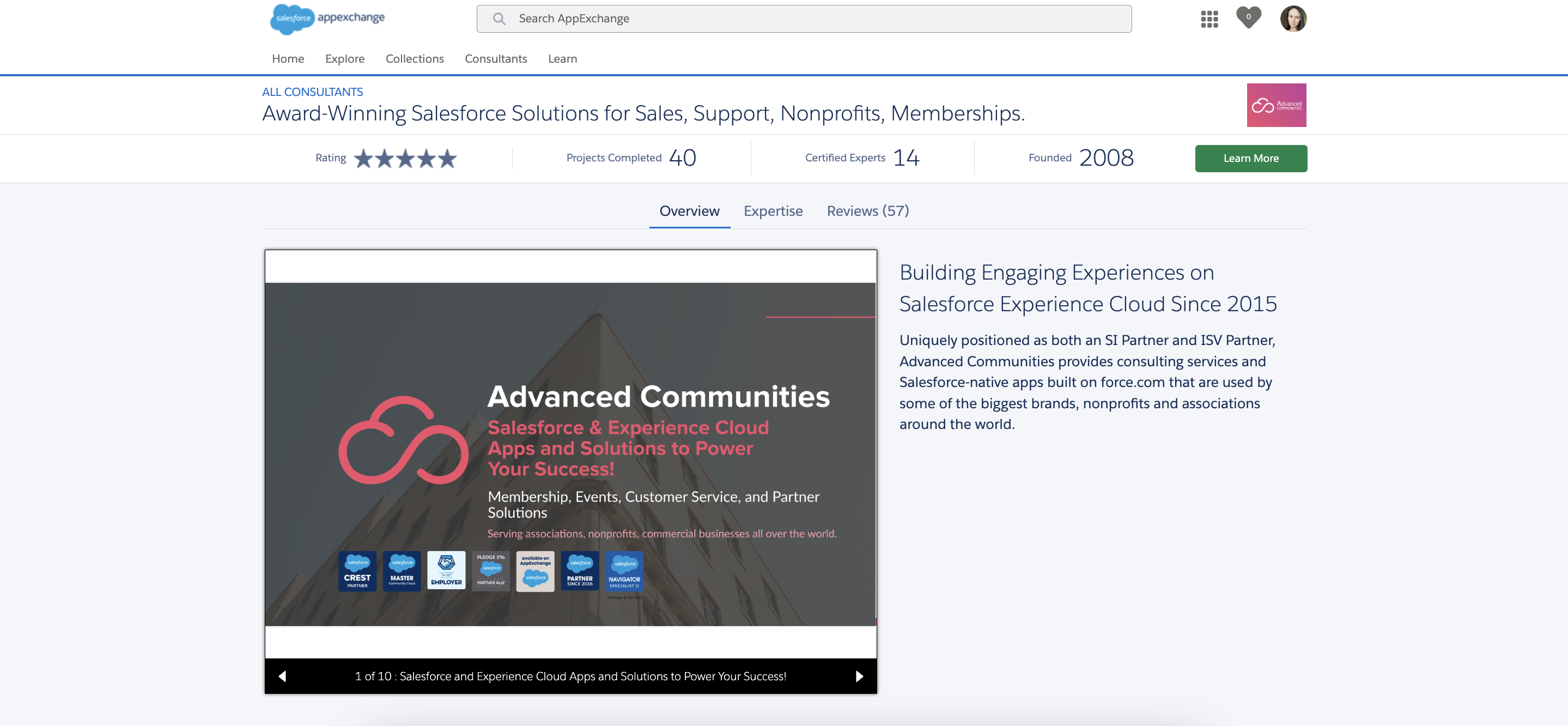
To give you a head start, here is the Advanced Communities page on AppExchange. You can comb through it, watch our product demos, download user guides, and check out our packages that will make your Salesforce journey more pleasant and integral.
Community and Collaboration Tools
In Salesforce, there is a dedicated Experience Cloud (former Community Cloud) that helps you elevate collaboration in your organization. Thanks to this technology, you can build fully customizable sites and dynamic portals for partner relationship management, employee onboarding/engagemnt, customer self-service, and other needs.
Together with Experience Cloud, you can use such a collaboration tool as Chatter. Build private, public, or unlisted groups for your community portal Salesforce with Chatter and network with people inside your company. Plus, you can let the audience create groups right from the community’s page and decide on their specifics.
With Chatter, you can share files, follow a real-time feed, create support cases (hello a question-to-case feature), update sales processes and opportunities. Besides, you can initiate company-wide polls, arrange info in topics, or integrate Chatter with Slack!
AI Tools
Automating business processes lies at the core of Salesforce. That is why the company introduced Salesforce Einstein Copilot – a world-class conversational Artificial Intelligence (AI) tool for CRM.
With Salesforce Einstein, you can concentrate on what’s important – your audience. Now, you can manage customer relationships with ease. Just teach the Copilot how to speak with your clients and handle their most basic issues (and complex ones, too!).
Surprisingly, not only customer service teams can leverage Salesforce Einstein. Sales, marketing, and commerce will find tons of practicality in this tool. For instance, you can close deals faster with customized emails sent to prospects, craft targeted marketing campaigns to be as relevant to your audience as possible, or boost revenue with custom product recommendations.
Salesforce Experience Cloud, Partner Portals, and Member Portals
One of the most valuable ways businesses use Salesforce today is by extending CRM data into external digital experiences. Instead of keeping Salesforce only as an internal system, companies can create secure portals where customers, partners, members, or employees can log in, access relevant information, complete tasks, and interact with the organization.
Common Experience Cloud use cases include:
- Customer self-service portals
- Partner portals and PRM communities (If you’re interested in even more features for PRM, you might think about Salesforce Partner Cloud implementation)
- Member portals for associations and nonprofits
- Knowledge bases and support centers
- Event registration and engagement portals
- Salesforce partner marketplace solutions and directories.
When SFDC Becomes an Implementation Project
Understanding what SFDC means is only the first step. The real challenge begins when an organization needs Salesforce to support actual business processes: partner onboarding, customer self-service, member renewals, event registration, payments, knowledge management, reporting, or integration with other systems.
At this point, SFDC is no longer just a CRM term. It becomes an implementation project that requires the right architecture, user experience, data model, automation, security setup, and long-term scalability.
You may need Salesforce implementation support if:
- Your Salesforce environment is already in place but underused
- Your team needs a customer, partner, or member portal
- You are managing too many manual processes outside Salesforce
- Your current portal does not provide a good self-service experience
- Your partner or member data is fragmented across several tools and you want to setup a single source of truth for your Salesforce-native membership management.
- Your team needs Salesforce-native apps instead of disconnected third-party systems.
Need to turn Salesforce into a customer, partner, or member-facing portal?
Advanced Communities helps organizations design and implement Salesforce Experience Cloud solutions, Partner Cloud portals, and Salesforce-native apps that connect directly to your CRM data and business processes. Talk to a Salesforce Experience Cloud Expert today.
How to Use SFDC for Your Business Success?
Implementing Salesforce isn’t about picking a tool. It’s more about solving a specific business problem. Before you touch a single setting, here’s how to approach SFDC in a way that actually moves your organization forward.
1. Start with a Clear Business Use Case
Don’t implement Salesforce because it’s popular; implement it because it solves something concrete. Are you trying to unify member data, streamline a sales pipeline, manage donor relationships, or launch a self-service community? Define the outcome first. A clear use case shapes every decision that follows, from which Cloud you need to how you configure it, and keeps the project from turning into an open-ended, expensive experiment.
2. Map Your Salesforce Data and Processes
Before any configuration begins, get a clear picture of your existing data and workflows. What information do you currently track, where does it live, and how does it move between teams? Mapping this out (customer records, approval chains, renewal cycles, support processes) helps you spot gaps, avoid duplicating effort, and design a Salesforce architecture that mirrors how your business actually operates, not a generic template.
3. Decide Whether You Need a CRM-Only Setup or a Portal Experience
Not every business needs the same footprint. If your goal is internal, like managing leads, accounts, and pipeline — a CRM-only setup may be enough. But if you need to give members, customers, or partners a place to log in, self-serve, pay dues, register for events, or engage directly, you’re looking at a portal built on Experience Cloud. This distinction matters early, because it affects licensing, cost, and implementation timeline.
4. Use Salesforce-Native Apps Where Possible
Once your use case and architecture are clear, favor solutions built natively on the Salesforce platform over disconnected third-party tools. Native apps sit inside your existing data model, inherit your security settings, and avoid the integration headaches that come with bolting on outside systems.
For example, if you’re a membership-based organization building out a portal on Experience Cloud, AC MemberSmart is a native-to-Salesforce solution designed to handle exactly that. It brings together the pieces most membership organizations need in one place:
- Member directory
- Job boards
- Event management
- Blogs
- Payments and donations
- Subscription management
Because it’s built natively, it also plugs into Salesforce’s automation and reporting tools, meaning approval flows, renewal reminders, and engagement dashboards can run on the same data without extra middleware.
AC MemberSmart
See product details5. Work with an Experienced Implementation Partner
Even with a clear use case and a solid data map, implementing Salesforce well takes hands-on expertise, especially for anything beyond an out-of-the-box CRM setup. An experienced partner helps you avoid costly missteps, configure the platform around your actual processes, and get to a working solution faster than trial and error would allow.
As a Salesforce Community Cloud consulting company, this is where Advanced Communities comes in. Whether you’re building a member portal, automating a business process, or deciding between a CRM-only setup and a full Experience Cloud implementation, working with a team that’s done it before shortens the path from idea to results.
Utilize Salesforce Automation
As mentioned earlier, automation in SFDC is huge. If used wisely, it can help your teams flourish. For instance, set up flow rules for common business processes, automate an approval process at every stage of a customer journey, and spot trends or opportunities with customizable reports and dashboards.
Simply put, you can automate any routine task with powerful automation features in Salesforce or the ones that comes with Salesforce add-ons. You just have to decide which ones and do that with your customers in mind.
Encourage Salesforce Certifications Across Your Team
Upgrading their qualification should be an integral piece for your staff. It unlocks many doors! Your team becomes more effective, productive, agile, and professional. If you think that only developers can be certified in SFDC, you’re getting the wrong end of the stick. Thus, there are certifications for designers, consultants, admins, marketers, architects, and associates.
Follow the great example of the Advanced Communities team. Since the start of summer 2024, some of our team members have successfully achieved their Platform App Builder and Business Analyst certifications. And counting!
Use Cases for Salesforce Across Different Business Functions
Below are the most common real-world use cases for Salesforce (often referred to as SFDC), along with what businesses actually do in each area:
Sales
Sales teams use Salesforce to manage the entire sales lifecycle—from the first lead to a closed deal. This includes capturing and qualifying leads, tracking opportunities, managing pipelines, forecasting revenue, and maintaining a complete history of customer interactions. With real-time visibility into deal stages, sales managers can identify bottlenecks and make data-driven decisions.
Service
Customer support teams rely on Salesforce Service Cloud to manage cases across multiple channels such as email, chat, phone, and social media. Agents can access customer histories, use knowledge bases to resolve issues faster, and automate case routing and escalation. This results in quicker response times and a more consistent customer experience.
Marketing
Marketing teams use Salesforce to segment audiences, design targeted campaigns, and automate customer journeys. With integrated data, marketers can personalize messaging based on behavior, track campaign performance, and align closely with sales on lead handoff and attribution.
Communities & Portals
With Salesforce Experience Cloud, organizations create secure portals for customers, partners, members, or employees. These portals enable self-service, collaboration, content sharing, event registration, partner enablement, and membership management—all directly connected to Salesforce data.
Automation
Automation is one of Salesforce’s strongest capabilities. Using tools like Flow and approval processes, businesses automate repetitive tasks such as record updates, notifications, onboarding steps, renewals, and approvals. This reduces manual work, minimizes errors, and ensures processes are executed consistently.
Analytics
Salesforce provides powerful reporting and analytics tools that turn data into actionable insights. Teams use dashboards and reports to monitor KPIs, track performance, forecast outcomes, and identify trends in real time—without exporting data to external tools.
Integrations
Through AppExchange and APIs, Salesforce integrates with thousands of third-party tools, including accounting systems, marketing platforms, payment providers, and ERP solutions. This allows Salesforce to act as a central source of truth while seamlessly connecting to the rest of the company’s tech stack.
If your organization already uses Salesforce but still relies on disconnected tools for portals, member management, partner engagement, or self-service, Advanced Communities can help you build a more connected Salesforce experience. Explore Salesforce Experience Cloud services.
Final Thoughts
What is SFDC in Salesforce? It IS Salesforce! Now that you know the answer, time to explore it. If you leverage its capabilities wisely, you are bound to succeed. However, it might be a bumpy ride at first. To smooth it away, you can always turn to Advanced Communities to receive qualified help. We will guide you through Salesforce and perfect your user experience.
FAQ
1. What does SFDC stand for?
SFDC stands for Salesforce.com — the original domain name and internal shorthand Salesforce has used since its early days as a cloud-based CRM company. You’ll still see “SFDC” used in job titles, technical documentation, and consulting conversations.
2. Is SFDC the same as Salesforce?
Yes. SFDC and Salesforce refer to the same platform. “SFDC” is simply an older, more technical abbreviation that’s still common among developers, admins, and consultants, while “Salesforce” is the brand name used in marketing and everyday conversation.
3. What does SFDC mean in business?
In a business context, SFDC refers to the Salesforce platform used to manage customer relationships, sales pipelines, service operations, and, increasingly, external-facing experiences like partner and member portals. When someone mentions “SFDC” in a business meeting, they’re typically referring to the CRM system and the surrounding ecosystem of tools built on top of it.
4. Is SFDC only a CRM?
No. While Salesforce started as a CRM, it has grown into a full platform. Beyond sales and service tracking, it now supports marketing automation, custom app development, data analytics, and portal experiences through products like Experience Cloud. Businesses often use it as the backbone for processes well beyond traditional customer relationship management.
5. How do companies use Salesforce Experience Cloud?
Experience Cloud lets companies build branded, self-service portals for customers, partners, or members, all connected to their core Salesforce data. Common uses include customer support portals, partner sales channels, and membership communities where users can log in, access resources, register for events, or manage their accounts without contacting internal staff.
6. When should a business work with a Salesforce implementation partner?
It’s worth bringing in a partner as soon as a project goes beyond basic, out-of-the-box configuration, for example, building a custom portal, automating multi-step approval processes, or migrating complex data from legacy systems. An experienced partner helps avoid rework, ensures the setup matches actual business processes, and speeds up time to a working solution.
7. Can Salesforce be used for partner portals?
Yes. Experience Cloud is commonly used to build partner portals where external partners can access deal registration, shared resources, training materials, or co-branded content, all tied directly to the same data your internal teams use in Salesforce.
8. Can Salesforce be used for membership management?
Table of contents