Salesforce Experience Cloud Benefits: All You Need to Know
Digital expectations are rising fast. Customers want instant answers, partners expect seamless collaboration tools, and businesses need scalable platforms that can keep pace with all of it. Salesforce Experience Cloud is built to meet that demand. It’s a platform for creating connected, branded digital experiences that actually move the needle for your business.
This article covers the key benefits of Salesforce Experience Cloud across common business scenarios. Along the way, it also covers what you can build with the platform and which features drive the most practical value for teams managing and using Experience Cloud sites.
What Is Salesforce Experience Cloud?
Salesforce Experience Cloud (formerly known as Community Cloud) is a DXP platform with an integrated set of technologies and out-of-the-box solutions that allows you to create and manage beautiful community experiences easily and fast. Experience Cloud lives in the Salesforce platform, ensuring advanced security features and seamless system performance.
Experience Cloud has direct access to your Salesforce CRM data: customer records, cases, opportunities, partner information, and more. Every interaction on an Experience Cloud site is backed by that data, and everything that happens on the site feeds back into Salesforce automatically.
Support Portal on Experience Cloud: Key Questions to Consider

From Community Cloud to Experience Cloud: What Changed?
Community Cloud is the former name of Salesforce’s platform for building online communities, such as customer and partner portals. The term “Experience Cloud” reflects an evolution of that platform into a broader concept focused on delivering connected digital experiences.
While the core capabilities remain, Experience Cloud emphasizes personalization, content delivery, and seamless engagement across multiple channels, enabling organizations to create more dynamic and integrated interactions for customers, partners, and employees.
Why Choose Salesforce Experience Cloud: Key Benefits
- Flexibility and customization. Experience Cloud is designed to be configured, not coded. Experience Builder’s drag-and-drop interface, pre-built templates, themes, and component library let teams build and adjust sites to match specific business requirements and update them over time without starting from scratch.
- Personalization. Experience Cloud lets you control exactly what different audiences see. Using audience rules, page variations, and CRM-driven data, you can deliver content and functionality tailored to a user’s role, region, account type, or behavior at scale.
- Self-service and support deflection. Self-service portals and help centers allow customers to find answers, manage cases, and access resources on their own. This reduces inbound support volume and shifts routine interactions away from agents.
- Collaboration. Communities built on Experience Cloud connect customers, partners, and employees with each other and with your organization. Users can ask questions, share knowledge, provide feedback, and stay engaged in an environment your team controls.
- Native Salesforce integration. Because Experience Cloud is Salesforce-native, there’s no middleware and no data syncing to manage. All site data is stored inside Salesforce, giving every team (sales, support, marketing) access to the same information in real time.
- Advanced security. Data access is managed through Salesforce’s standard security model: object permissions, field-level security, sharing rules, and audience controls. All data stays within Salesforce, protected from unauthorized third-party access.
- Analytics and reporting. Salesforce’s reporting and dashboard tools apply directly to Experience Cloud data. Google Analytics integration is also available out of the box, giving teams visibility into site usage, page views, and engagement behavior.
- Content management. Salesforce CMS allows teams to create content once and distribute it across multiple Experience Cloud sites, eliminating the need to duplicate or manually manage content per site.
- Mobile-friendliness. Experience Cloud sites are mobile-responsive by default. Users get a consistent, functional experience on any device without requiring separate mobile builds.
- Scalability. AppExchange gives teams access to a marketplace of configurable apps and components that extend Experience Cloud’s functionality as business needs evolve.
Summer '23 Experience Cloud Features: Most Exciting Salesforce Updates

What Types of Sites Can You Create with Experience Cloud
Experience Cloud enables organizations to create a wide range of digital experiences tailored to different audiences and business needs. Some of the most common use cases include:
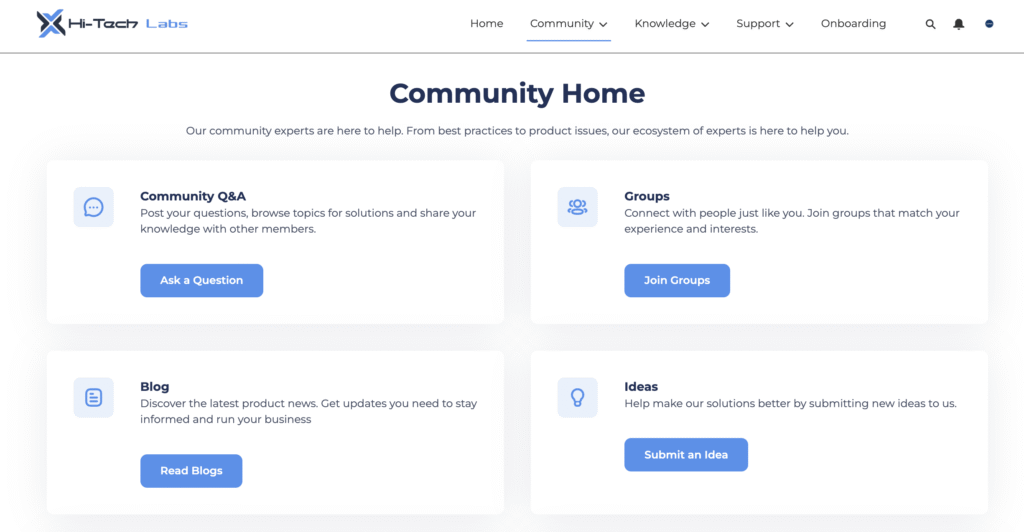
- Partner portals: Secure spaces where partners can collaborate with your company, manage deals, access shared resources, and track performance.
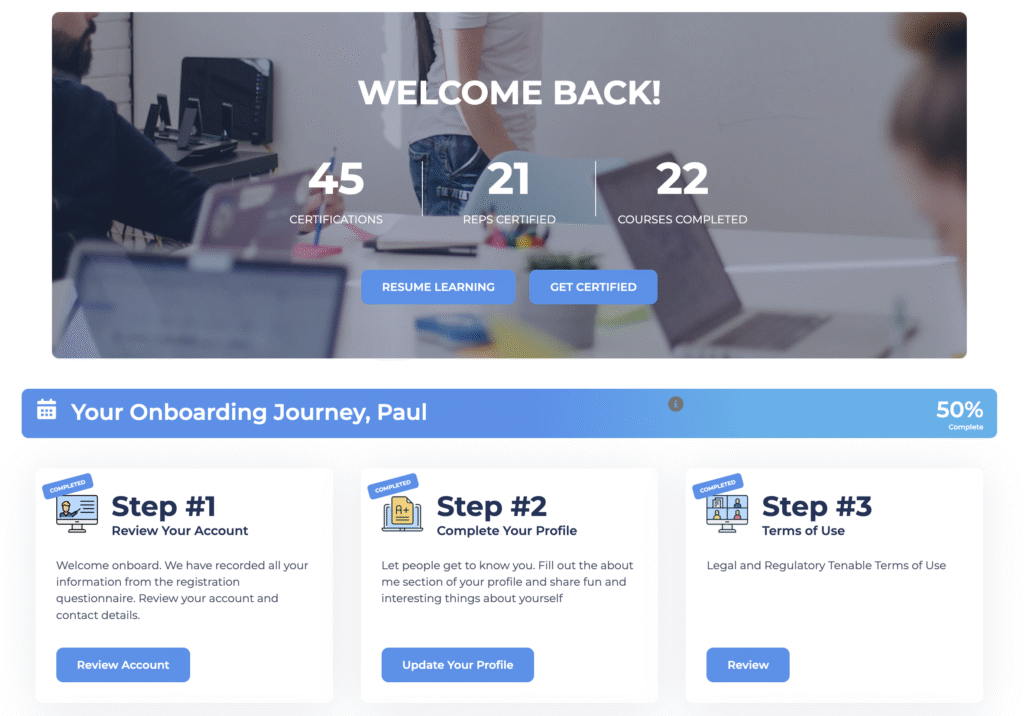
- Customer communities: Interactive platforms that allow customers to connect with each other and your brand, share knowledge, and engage in discussions.
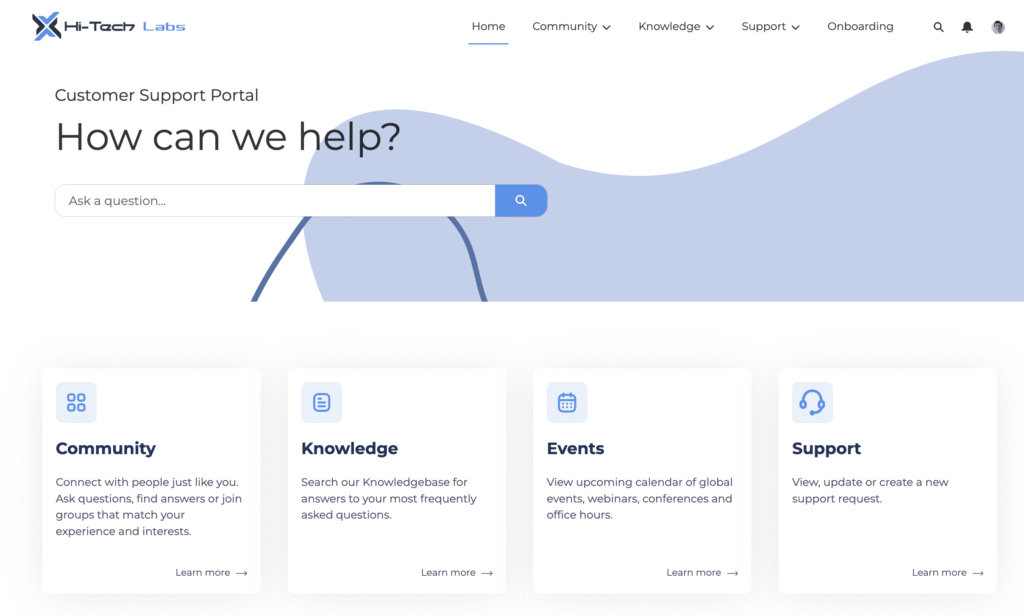
- Help centers: Centralized hubs for support content, including knowledge base articles, FAQs, and case management to assist users efficiently.
- Self-service sites: Portals where customers can independently manage their accounts, submit requests, track issues, and find solutions without direct assistance.
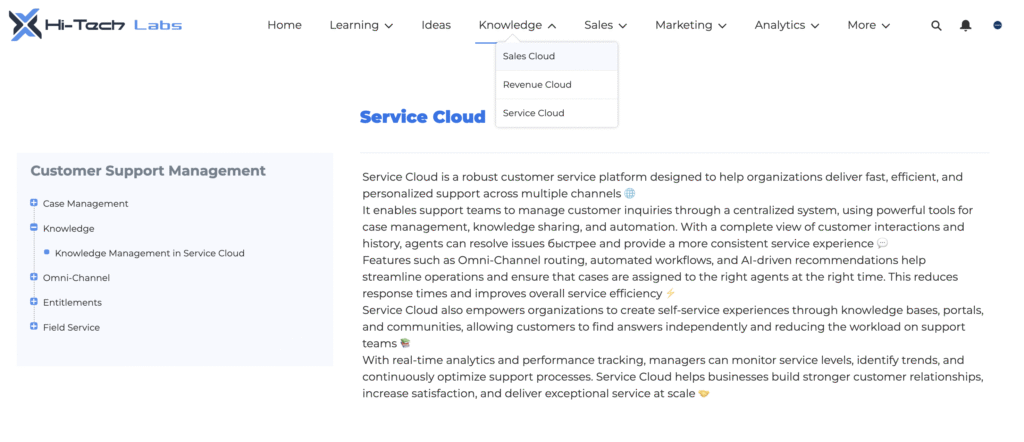
- Microsites and landing pages: Focused, often campaign-specific pages designed for product launches, events, or marketing initiatives, with flexible branding and content options.
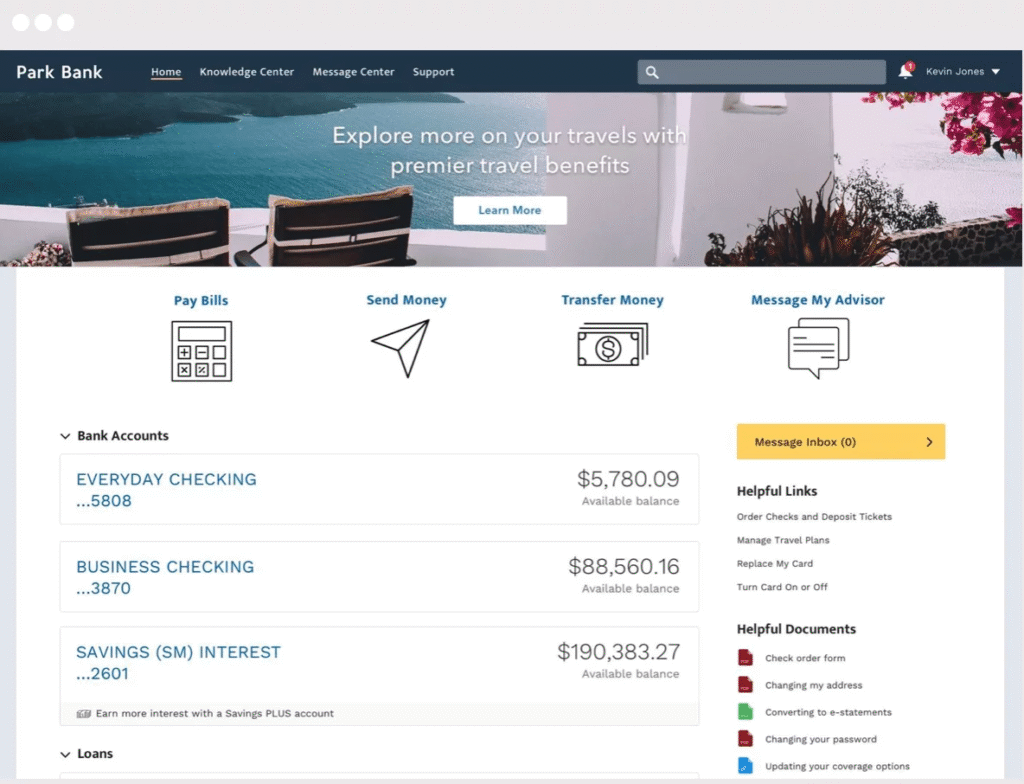
Together, these capabilities make Experience Cloud a versatile solution for building connected, user-centric digital experiences.
Data Access & User Permissions in Experience Cloud Sites

The Main Features of Salesforce Experience Cloud
Salesforce Experience Cloud offers a robust set of platform capabilities that support the creation of scalable and engaging digital experiences:
Experience Builder
It’s a user-friendly, drag-and-drop tool that allows teams to design and customize sites quickly without extensive development effort. It provides pre-built templates and components, making it easy to launch and iterate on experiences while maintaining consistent branding.
Customer 360
Salesforce provides a unified view of customer data across Salesforce products, helping deliver personalized and consistent experiences at every touchpoint. By centralizing data, teams can better understand user behavior and tailor interactions in real time.
AppExchange Ecosystem
Get access to a wide ecosystem of pre-built components and integrations from Salesforce AppExchange, enabling you to extend functionality based on specific business needs. This allows organizations to accelerate development by leveraging trusted third-party solutions instead of building everything from scratch.
Content Management
Salesforce CMS provides centralized tools to create, manage, and distribute content across multiple channels and experiences. This ensures consistency and makes it easier to reuse and update content without duplicating effort.
Analytics and Reporting
Utilize built-in reporting and dashboards that provide insights into user behavior, engagement, and site performance. These insights help teams continuously optimize content, user journeys, and overall experience effectiveness.
Salesforce-Native Architecture
Seamless integration with the broader Salesforce ecosystem ensures security, scalability, and real-time data access. It also simplifies maintenance and governance by keeping all experiences within a single, trusted platform.
No-Code and Low-Code Development
Experience Builder has flexible configuration options that empower both technical and non-technical users to build and maintain solutions efficiently. This reduces dependency on developers and speeds up time to market for new features and updates.
Final word
Salesforce Experience Cloud’s core value is straightforward: it is all about speeding up implementation, time reduction, strong customer engagement, enhanced security, increased productivity, effective business management and collaboration. The benefits compound over time as the platform’s data, personalization, and self-service capabilities reduce manual work and improve engagement across every audience.
If your organization is evaluating Experience Cloud or looking to get more from an existing implementation, the Advanced Communities team works specifically in this space. Get in touch to discuss your use case.