How to Choose the Right Experience Cloud Template
Last updated: December 19, 2026
Are you looking to build a website that is responsive, branded, and provides an excellent experience for your customers or partners? Salesforce Experience Cloud can easily help you do just that – fast and without coding – by using pre-built, ready-made community website templates.
However, with such a wide range of templates available, it can be challenging to choose the right one. In this blog post, we will discuss how to choose the right Experience Cloud template for your project.
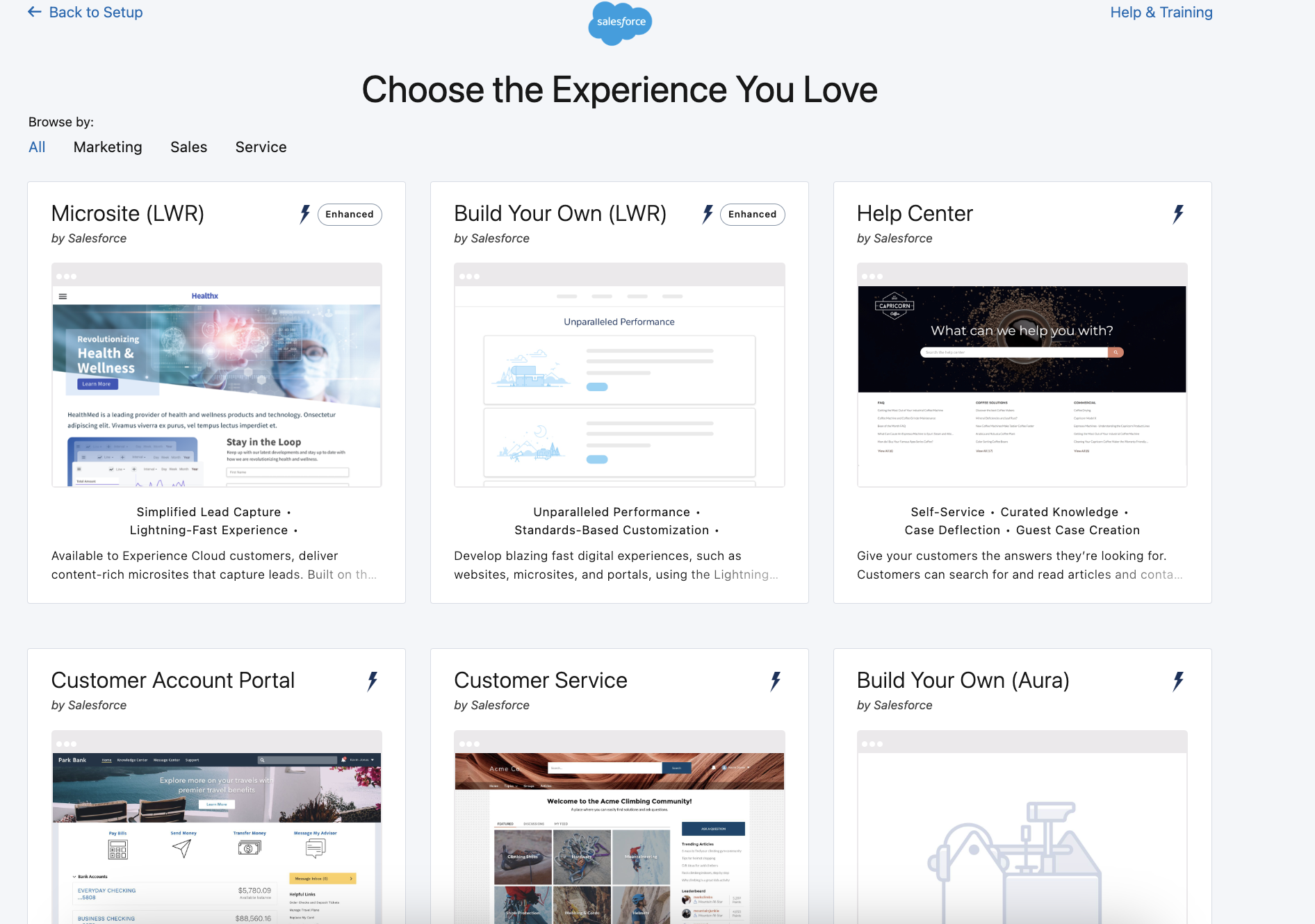
Salesforce Experience Cloud Templates Overview
Salesforce Experience Cloud templates are pre-built site frameworks that determine your portal’s structure, navigation, and core user experience. Choosing the right template is important because it directly impacts time-to-launch, usability, scalability, and long-term maintenance effort. A well-matched template accelerates implementation while keeping customization manageable as your community grows.
| Use case / scenario | Recommended template | Best suited for | Complexity level | Notes |
|---|---|---|---|---|
| Customer account portal | Customer Account Portal Template | Logged-in customer dashboards, account management, order or case visibility | Low–Medium | Strong default structure for authenticated customer experiences |
| Customer support portal | Customer Service Template, Help Center Template | Knowledge base, case submission, self-service support | Low–Medium | Help Center is optimized for content discovery and deflection |
| Partner portal (PRM) | Partner Central Template | Partner onboarding, deal registration, co-selling workflows | Medium | Requires well-defined partner roles and permissions |
| Member / community hub | Build Your Own (LWR) Template | Flexible communities with custom structure and branding | Medium | Modern framework with strong performance and extensibility |
| Campaign microsite / lightweight experience | Microsite (LWR) Template | Campaigns, onboarding hubs, targeted experiences | Low–Medium | Streamlined structure for focused use cases |
| Commerce-enabled experience | B2C Commerce | Online storefronts, product browsing, purchasing flows | High | Best when commerce functionality is central to the experience |
| Fully custom digital experience (modern) | Build Your Own (LWR) Template | Tailored UX, custom components, complex integrations | High | Maximum flexibility with higher implementation effort |
| Fully custom digital experience (legacy) | Build Your Own Template (Aura), Salesforce Tabs + Visualforce | Legacy communities, highly customized classic implementations | High | Suitable for existing Aura/Visualforce ecosystems |
Below is a quick selection guide to help match common business scenarios with the most suitable template approach.
Template-by-Template: What Each One Is Best For
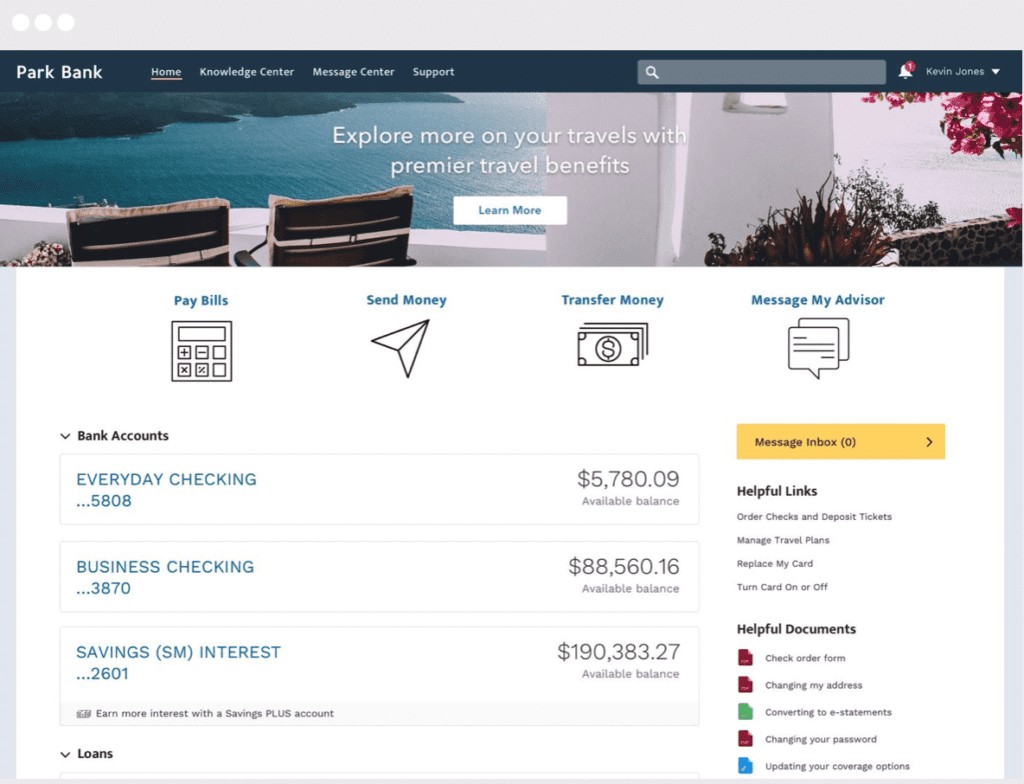
The Customer Account Portal Template
Designed for organizations that need a secure, login-based environment where customers manage accounts, cases, and service interactions, with a strong focus on structured self-service and account transparency.
Key features:
- Secure customer login with role-based access
- Account, case, and record management (including custom objects)
- Integrated knowledge base for self-service support
- Standardized layouts for authenticated experiences
Typical pages/components:
- Account dashboard
- Case creation and tracking
- Knowledge articles
- Profile and settings
Limitations/watch-outs:
- Less flexible for complex custom UX without development
- Primarily optimized for logged-in experiences
Choose this if you need a structured, authenticated customer self-service portal.
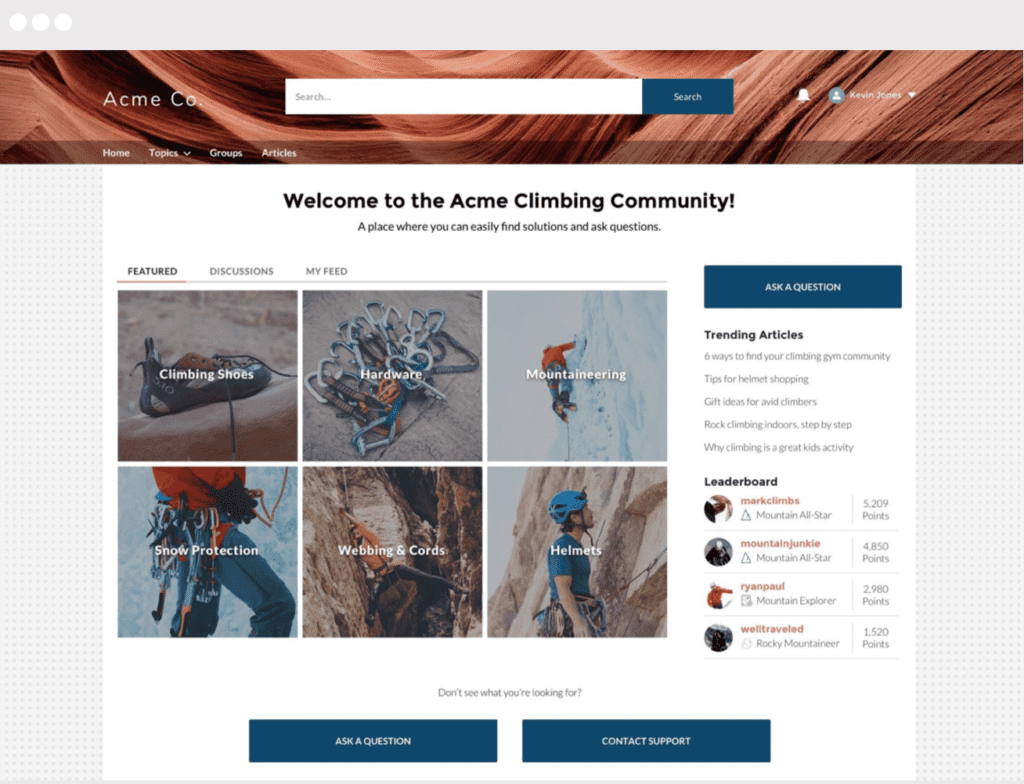
The Customer Service & Help Center Templates
Well-suited to organizations prioritizing customer support, knowledge delivery, and case deflection through self-service experiences for both authenticated and guest users. By setting up a community in Salesforce with these templates you centralize support resources, making it easier for customers to find answers quickly while reducing the workload on service teams.
Key features:
- Knowledge base and content discovery tools
- Case submission and tracking
- Community discussions and Q&A
- Case deflection and guest case creation (Experience Cloud Help Center template)
Typical pages/components:
- Knowledge home and article pages
- Case submission form
- Community discussions
- Support dashboard
Limitations/watch-outs:
- Requires well-structured knowledge content to be effective
- UX customization is more constrained than custom templates
Choose this if your priority is reducing support volume through self-service.
The Partner Central Template
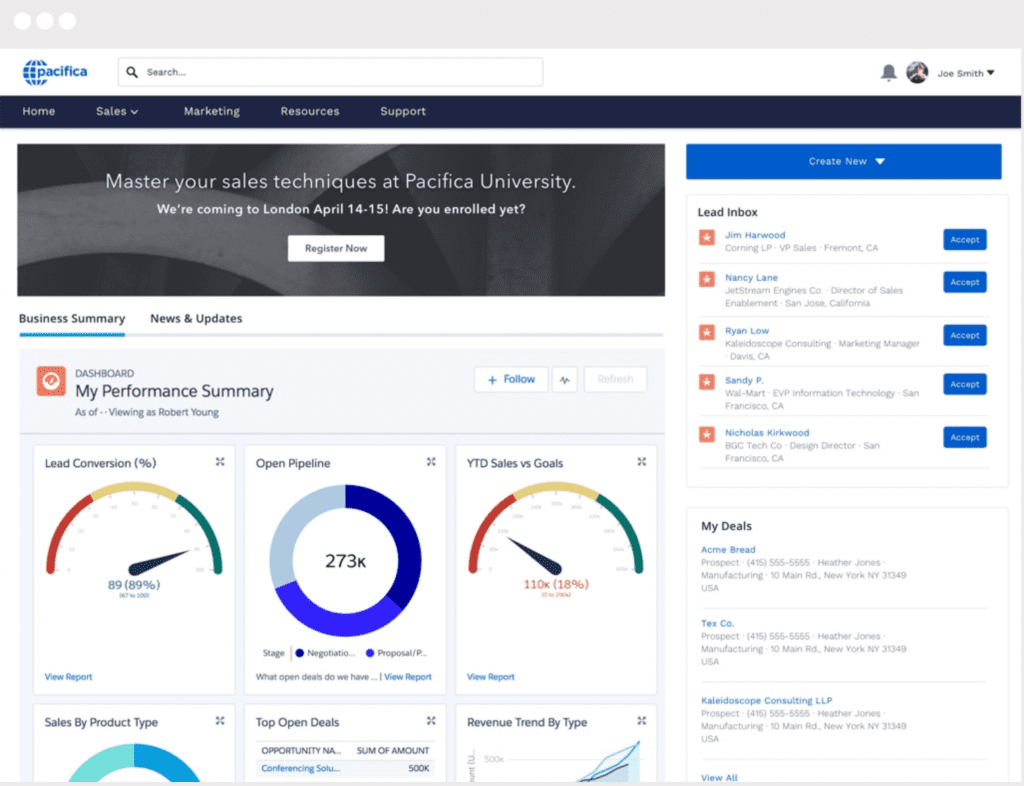
Built for companies running structured partner programs that require shared CRM data, deal collaboration, and comprehensive partner enablement capabilities. This partner portal template on Salesforce supports coordinated co-selling processes and helps organizations scale channel operations through standardized workflows and visibility.
Key features:
- Lead and opportunity sharing with partners
- Deal registration and pipeline visibility
- Partner onboarding and enablement tools
- Reporting and performance dashboards
Typical pages/components:
- Partner dashboard
- Deal registration and opportunity pages
- Marketing resources library
- Training and onboarding center
Limitations/watch-outs:
- Requires clear partner roles and data-sharing strategy
- Setup complexity increases with program scale
Choose this if you manage resellers or distributors and need structured partner collaboration.
Build Your Own (LWR) Template
A strong choice for teams that need highly customized digital experiences built on modern Salesforce web architecture with performance and scalability in mind. It provides flexibility to design unique user journeys and supports advanced integrations and custom component development.
Key features:
- Lightning Web Components framework
- High-performance architecture
- Flexible layout and component model
- Full customization using Salesforce DX and APIs
Typical pages/components:
- Custom dashboards and workflows
- Dynamic content pages
- Custom-built components
- Integration-driven experiences
Limitations/watch-outs:
- Requires development expertise
- Higher implementation effort than standard templates
Choose this if you need maximum flexibility and performance for a custom experience.
Microsite (LWR) Template
Ideal for lightweight, focused digital experiences such as campaign sites, onboarding hubs, or targeted content destinations. It enables fast deployment of branded experiences designed to support specific initiatives or engagement goals.
Key features:
- Streamlined single-purpose site structure
- CMS-driven content management
- Enhanced search capabilities
- Fast deployment and customization
Typical pages/components:
- Landing pages
- Campaign content pages
- Lead capture forms
- Resource libraries
Limitations/watch-outs:
- Not designed for complex multi-process portals
- Limited scope compared to full community templates
Choose this if you need a focused, fast-launch digital experience.
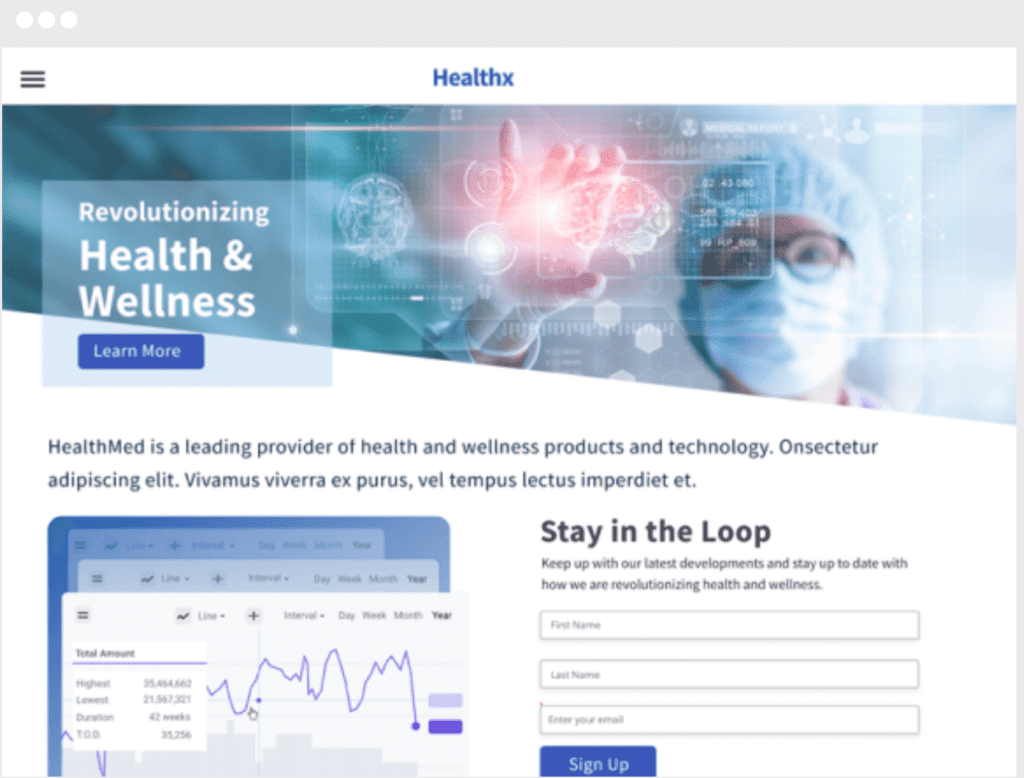
B2C Commerce
Intended for organizations launching a full-featured online storefront integrated with Salesforce data and customer experiences. It supports end-to-end digital commerce processes, from product discovery and purchasing to order management and personalization.
Key features:
- Product catalog and pricing management
- Order processing and history tracking
- Personalized product recommendations
- Payment, shipping, and tax configuration
Typical pages/components:
- Product listing and detail pages
- Shopping cart and checkout
- Customer order history
- Storefront homepage
Limitations/watch-outs:
- Higher implementation complexity
- Best suited when commerce is the core function
Choose this if your primary goal is delivering a complete eCommerce storefront.
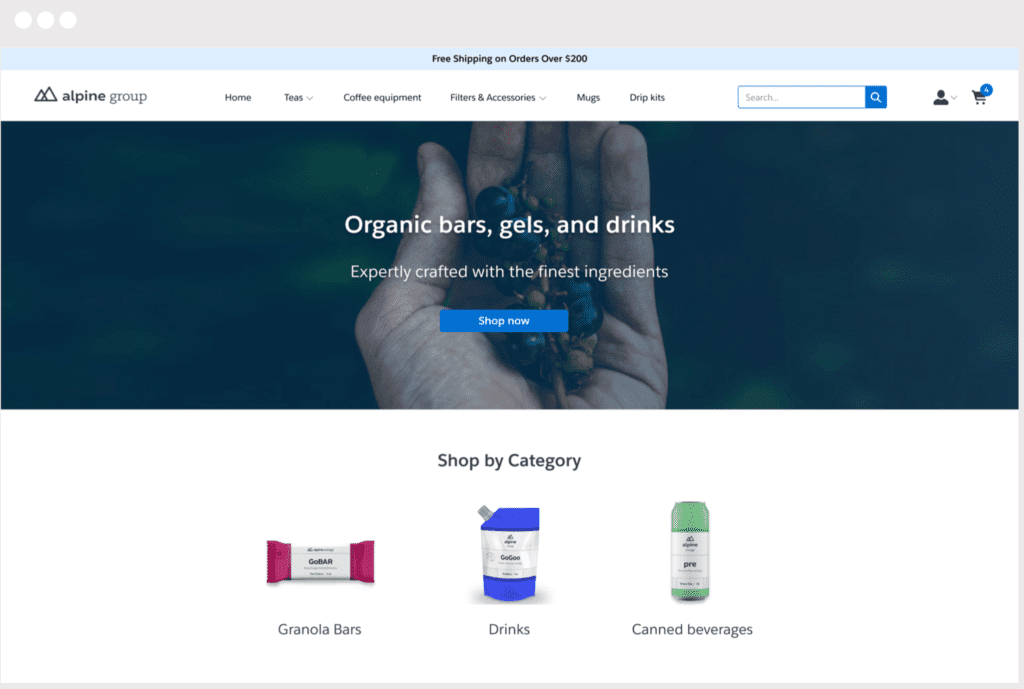
Build Your Own Template (Aura)
Suitable for organizations that require deep customization within existing Aura-based environments or legacy implementations. It offers full control over layout and functionality, making it possible to support complex business requirements and integrations.
Key features:
- Drag-and-drop Lightning components
- Fully customizable layouts and themes
- Support for custom components and integrations
- Multilingual capabilities
Typical pages/components:
- Record detail and list pages
- Custom dashboards
- Search and login pages
- Integration-driven pages
Limitations/watch-outs:
- Legacy framework compared to LWR
- Requires development expertise
Choose this if you maintain or extend an existing Aura-based community.
Salesforce Tabs + Visualforce
Appropriate for advanced implementations that rely on Visualforce development and the traditional Salesforce interface model for extensive customization. It enables precise control over data presentation and functionality but typically requires strong development expertise.
Key features:
- Visualforce-based customization
- Support for standard and custom objects
- Integration with Salesforce mobile app
- Deep control over page behavior
Typical pages/components:
- Tab-based navigation
- Custom Visualforce pages
- Record detail views
- Data-driven dashboards
Limitations/watch-outs:
- Requires strong developer expertise
- Legacy approach compared to modern frameworks
Choose this if you need deep customization within a classic Salesforce architecture.
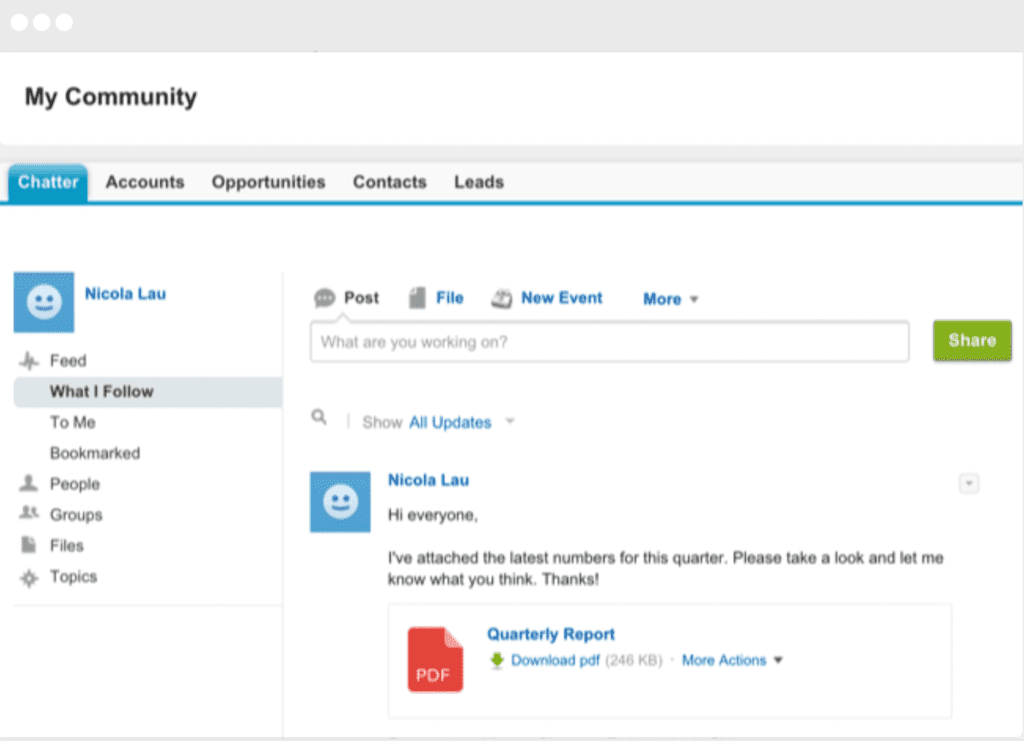
No matter which Salesforce Experience Cloud template you choose, you’ll be able to build a website that is tailored to your business needs.
LWR vs Aura Experience Cloud Templates: What to Choose in 2026
Within Salesforce Experience Cloud, Lightning Web Runtime (LWR) and Aura represent two different approaches to building digital experiences. LWR is the modern framework designed for performance, scalability, and flexibility, which is why it’s typically the preferred choice for new implementations. It delivers faster page loads, better SEO readiness, cleaner architecture, and stronger alignment with current Salesforce development standards.
Aura, on the other hand, remains relevant primarily for organizations with existing communities built on the Aura framework or for projects that depend on specific legacy components and customization patterns. While Aura provides deep control over layouts and integrations, it generally requires more maintenance effort and does not benefit from the same performance and architectural improvements as LWR.
Practical recommendation
If you are starting a new Experience Cloud project in 2026, LWR should be your default choice unless you have a clear technical or organizational constraint that requires Aura.
Questions that help you decide
- Do you need to support an existing Aura-based community or legacy components?
- Is high performance and fast page load time a top priority for your experience?
- Will your project require extensive custom development using modern web standards?
- Does your organization have development expertise primarily in Aura or in Lightning Web Components?
- Are you planning for long-term scalability and easier maintenance?
If most answers point to performance, scalability, and modern development practices, LWR is typically the better path forward.
How to Know Which Template is Right for You
Wondering how to pick the right template from the start and what criteria to consider when making the choice? Asking yourself a few questions will help you better understand your needs to make the perfect choice for your business.
What’s the purpose of your site?
Start by defining the primary business goal your site needs to support, because this determines the overall structure and functionality of your experience.
What this influences
- Core structure of the experience ( Salesforce support portal community, B2C or B2B site, PRM portal, customer service center, help center, volunteer or member portal, site for fundraising and charities, microsites, and many more…)
- Content model and navigation logic
- Required features such as cases, knowledge, or transactions
Templates that most often fit
- Customer support → Customer Service, Help Center
- Partner enablement → Partner Central
- Campaign or onboarding hub → Microsite (LWR)
- Commerce storefront → B2C Commerce
Who are your users? (Customers / Partners / Members / Employees)
Understanding your primary audience helps define access models, data visibility, and the type of experience they expect.
What this influences
- Authentication model and access levels
- Data visibility and role-based permissions
- Engagement patterns and page types
Templates that most often fit
- Customers managing accounts → Customer Account Portal
- Partners and resellers → Partner Central
- Broad or mixed audiences → Build Your Own (LWR)
- Internal or specialized audiences → Build Your Own (LWR) or Aura
Self-service or collaboration?
Decide whether your experience should focus on helping users find answers independently or on enabling interaction and community engagement.
What this influences
- Whether the experience prioritizes knowledge and case deflection or interaction and discussion
- Content types and moderation requirements
- Support workload and engagement strategy
Templates that most often fit
- Self-service support → Help Center, Customer Service
- Structured account + case management → Customer Account Portal
- Collaborative or hybrid experiences → Build Your Own (LWR)
How important are design and branding?
Consider how much control you need over layout, styling, and user experience beyond standard templates.
What this influences
- Level of UI customization and component development
- Need for custom layouts, themes, and interactions
- Implementation time and maintenance effort
Templates that most often fit
- Standardized UX with quick launch → Customer Service, Customer Account Portal
- Highly branded or unique UX → Build Your Own (LWR)
- Legacy custom environments → Build Your Own (Aura)
If you need something more than just a good UX, Advanced Communities is here to help. Understanding the importance of User Experience and User Interface, we deliver professional User Experience (UX) design services to ensure your site is well-structured, intuitive, user-friendly, and aligned with your branding.
What integrations do you need?
Evaluate which external systems and services must connect with your site to support business processes and data flow.
What this influences
- Technical architecture and data flows
- Security and identity management
- Scalability and long-term maintenance
Templates that most often fit
- Commerce and payments → B2C Commerce
- Advanced integrations and APIs → Build Your Own (LWR)
- Existing legacy integrations → Build Your Own (Aura), Salesforce Tabs + Visualforce
Digital Transformation in Salesforce with Experience Cloud

5 Best Practices to Consider Before Creating an Experience Cloud Site
Answering the questions above will help you identify the specifics of your site and select a suitable template to start your Experience Cloud journey. Before diving into the building of your site, we recommend you go through our list of 5 best practices to consider before creating your engaging digital experience.
After defining the purpose of your site and choosing a suitable template, think about the following:
Licenses and access model
Licenses grant your customers or partners access to Experience Cloud sites, serving as a gateway to the data on your site. Define who will access the site and what they must see or do. Your license type and sharing model determine capabilities, cost, and data exposure.
Focus on
- Audience types (customers, partners, members, employees) and authentication needs
- Data visibility boundaries and record ownership
- Template compatibility with your license model
Content management strategy
Content is one of the most important things on your site. Your content tells your visitor what your business is all about, what you stand for, and how your customers/partners can benefit from what you offer. Plan what content you’ll publish, who maintains it, and how it stays current. A clear content lifecycle improves self-service and reduces support load.
Focus on
- Knowledge structure, CMS usage, and content taxonomy
- Named content owners and update cadence
- Archiving, versioning, and governance rules
Salesforce CMS for Experience Cloud: A Complete Guide to Content Management

Mobile responsiveness
Living in a mobile era, we can hardly overestimate the importance of responsive design and mobile apps. Design for mobile from the start to protect engagement and conversion. Test real user journeys, not just layouts.
Verify
- Key flows (login, search, case creation, checkout) on multiple screen sizes
- Performance and load time on mobile networks
- Accessibility and touch-friendly navigation
Third-party integration
When planning your site, think about the combination of features you need to deliver a productive, successful experience. If you need more than out-of-the-box Experience Cloud template functionality to complete your business requirements, think about using additional custom solutions to enhance the capabilities of your site.
Integrate only when there is a clear business need or capability gap. Each integration adds complexity, so prioritize value and maintainability.
Use integrations when
- You need SSO, payments, external CMS, analytics, or specialized workflows
- Native features cannot meet a critical requirement
- Data must sync with external systems in near real time
Avoid integrations when
- The use case can be solved with standard components
- The integration adds risk without measurable impact
Here are some options of Salesforce-native apps you can implement in your project:
- AC Events Enterprise: a comprehensive event management solution that will make event planning, organization, and management easy as well as seamless.
- AC MemberSmart: a highly flexible AMS platform that provides enhanced functionality and serves as the ultimate solution for any membership organization or association. Designed for professional and trade associations, membership organizations, and nonprofits.
- AC Ideas Ultimate: a solution for gathering insights and feedback on your products and services from site members, prioritizing them, and putting the ideas with the most impact into the development roadmap.
- AC Knowledge Management Enterprise: an ultimate tool that makes knowledge management on Experience Cloud smooth and holistic.
Please contact us for more information on our other products and solutions.
Security and Access
Security is always a major priority, whether implementing a help center for internal usage or a public-facing site. Apply least-privilege principles to protect data while enabling productivity. Plan roles, permission sets, and sharing rules before building pages.
Focus on
- Role hierarchy, permission sets, and object access
- Record-level sharing and data segmentation
- Auditing, monitoring, and change control
Data Access & User Permissions in Experience Cloud Sites

Need Help?
Advanced Communities helps organizations design and implement Salesforce Experience Cloud solutions end to end — from architecture and UX to accelerators that speed up launch and reduce risk. Talk to an expert to discuss your case and see how we can help.
We typically work with:
- Designing and launching customer, partner, and member portals
- Building self-service help centers and knowledge-driven support experiences
- Migrating legacy communities and improving UX, performance, and adoption
FAQ
What Factors Should I Consider When Choosing a Salesforce Experience Cloud Template?
Start with your main use case, audience, and required features. Then check customization needs, integrations, security model, and long-term scalability. Make sure the template aligns with your license type and maintenance capacity so you don’t need a redesign later.
Can I Customize Salesforce Experience Cloud Templates to Match My Brand?
Yes. Templates support branding changes such as layouts, colors, typography, and navigation through Experience Builder. Developers can extend functionality with custom components when needed, allowing you to create a consistent, fully branded experience on Salesforce.
What is the best template for a customer support portal?
Customer Service and Help Center are the most common starting points. Choose Customer Service for case management and authenticated support interactions. Choose Help Center when knowledge discovery and self-service are the primary goals.
Are Salesforce Experience Cloud Templates Mobile-Friendly?
Yes, modern templates are responsive across devices. You should still test key user flows like login, search, and case submission on mobile to ensure performance, usability, and accessibility meet expectations.
Customer Service vs Help Center — which should I choose?
Choose Customer Service for structured support workflows and case tracking. Choose Help Center for knowledge-driven self-service and reducing ticket volume. The decision depends on whether your experience is case-focused or content-focused.
Does the template affect performance and SEO?
Yes. Template architecture influences load speed, scalability, and content structure. Modern frameworks like LWR typically deliver faster performance and better foundations for public-facing sites.
What license considerations can affect template selection?
Licenses define who can access the site, what data they see, and which features are available. Align your audience, access model, and template choice early to avoid rework later.